
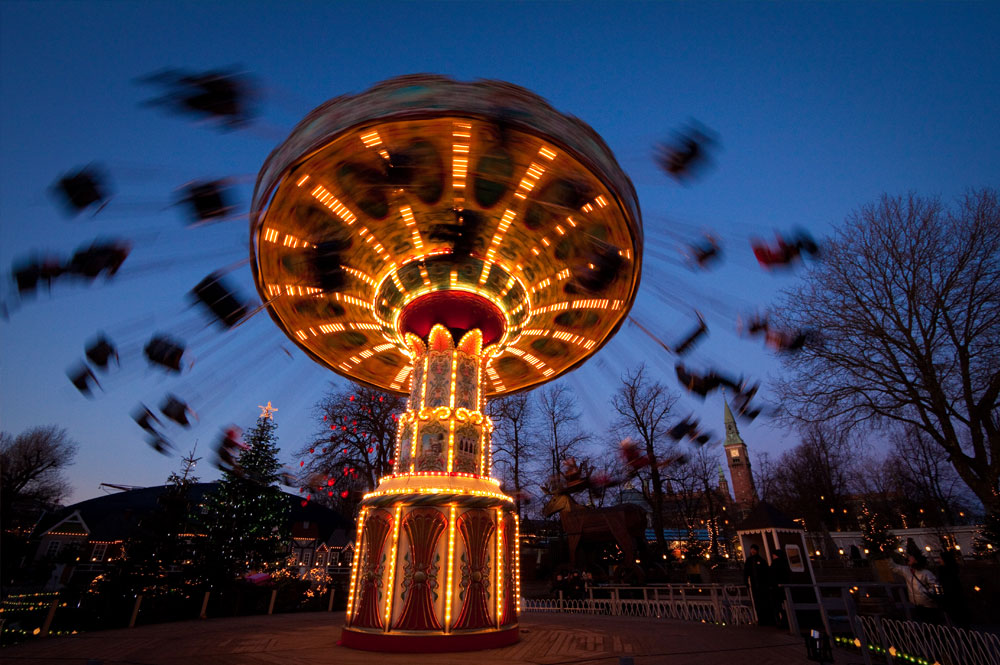
Understanding the distinctions between motion blur vs gaussian blur is essential for photographers, designers, and video editors who want to achieve specific visual effects. Both techniques are widely used to manipulate images and footage, but they serve different purposes and produce unique results. This article breaks down how each blur works, where they are most effective, and how to choose the right one for your creative projects.
Whether you’re aiming for a dynamic sense of movement or a soft, dreamy look, knowing when and how to apply these blurring methods can elevate your visuals. We’ll explore the core differences, practical applications, and the technical aspects that set these two popular effects apart. If you’re interested in hands-on techniques, you might also want to check out our motion blur on android camera guide for step-by-step instructions.
What Is Motion Blur?
Motion blur is an effect that simulates the streaking or smearing of moving objects within a frame. It occurs naturally in photography and videography when the camera’s shutter speed is slow relative to the speed of the subject. In digital editing, motion blur can be applied to suggest speed, direction, or energy, making still images appear more dynamic.
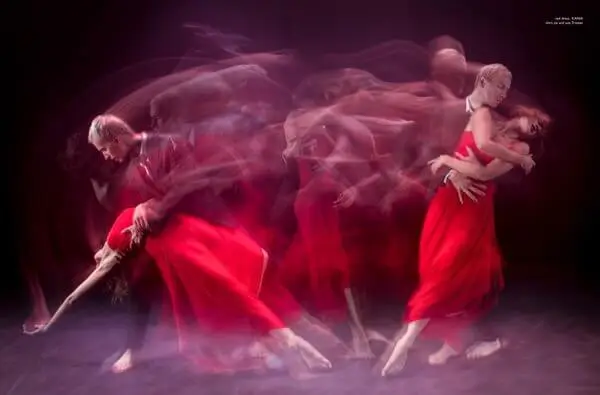
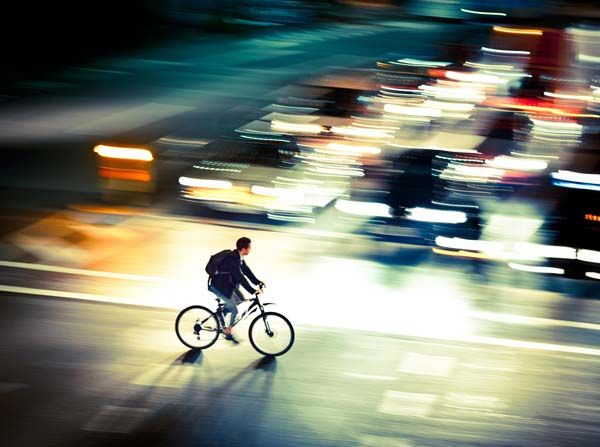
The direction and length of the blur are typically aligned with the movement of the subject. For example, a car speeding across a road will have a horizontal blur trail, while a falling object might have a vertical streak. This effect is often used in sports photography, action scenes, and creative portraiture to convey a sense of motion.
For those interested in capturing this effect on mobile devices, our resource on motion blur on iPhone camera provides practical tips for both beginners and advanced users.
Understanding Gaussian Blur
Gaussian blur is a type of image-blurring filter that uses a mathematical function (the Gaussian function) to smooth out details uniformly in all directions. Unlike motion blur, which is directional, Gaussian blur softens the entire image or selected areas, reducing sharpness and blending edges for a more diffused appearance.
This blur is commonly used in photo editing to create a soft-focus effect, reduce noise, or prepare images for compositing. It’s also a go-to tool for background blurring, simulating shallow depth of field, or masking imperfections in portraits. Gaussian blur is non-directional, so it doesn’t suggest movement but rather a gentle, even haze.
Comparing Motion Blur and Gaussian Blur Effects
While both techniques reduce image sharpness, their visual results and intended uses are quite different. Here’s a breakdown of the main contrasts:
- Directionality: Motion blur is directional and follows the path of movement, while Gaussian blur is uniform and affects all directions equally.
- Purpose: Motion blur is used to convey speed or movement. Gaussian blur is ideal for softening, background blurring, or reducing detail.
- Application: Motion blur is often applied to moving subjects or backgrounds in action shots. Gaussian blur is typically used for portraits, product shots, and graphic design.
- Visual Impact: Motion blur creates streaks or trails, adding energy to an image. Gaussian blur results in a smooth, hazy look without directional cues.
If you want to learn more about the creative uses of these techniques, our motion blur in videography guide covers how filmmakers use these effects to enhance storytelling.
Technical Differences: How Each Blur Works
The underlying algorithms for each effect are distinct. Motion blur simulates the accumulation of light as an object moves across the sensor or screen, often requiring knowledge of the direction and speed of movement. In digital tools, you can control the angle and distance of the blur to match the subject’s trajectory.
Gaussian blur, on the other hand, applies a mathematical average to each pixel and its neighbors, weighted by their distance from the center. The result is a smooth, even blur that doesn’t favor any particular direction. This makes it ideal for general softening and background effects, but less suitable for simulating motion.
When to Use Each Blur Type
Choosing between these two effects depends on your creative goals:
- Use motion blur when you want to emphasize movement, speed, or action. It’s perfect for sports, vehicles, dancers, or any scene where motion is a key element.
- Choose gaussian blur for subtle softening, background separation, or when you need to hide distractions in an image. It’s commonly used in beauty retouching and graphic overlays.
For more advanced editing, combining both effects can produce unique results. For instance, you might apply motion blur to a moving subject and Gaussian blur to the background for a layered, professional look.
Practical Examples and Creative Uses
In real-world projects, these blurs can transform the mood and focus of your visuals. For example, a photographer might use motion blur to capture the rush of city traffic at night, while a designer could apply Gaussian blur to create a soft background for text overlays.
Video editors often use motion blur to smooth out fast pans or transitions, making footage appear more natural. Gaussian blur, meanwhile, is a staple for background defocus in interviews or product showcases.
If you’re interested in post-production workflows, our article on motion blur post processing tips offers practical advice for refining your images after capture.
Common Mistakes and How to Avoid Them
Applying these effects incorrectly can lead to unnatural or distracting results. Here are some tips to keep in mind:
- Don’t overdo it: Excessive blur, whether motion or Gaussian, can make images look artificial or lose important details.
- Match the direction: For motion blur, always align the blur with the actual movement in the scene.
- Use masking: Apply Gaussian blur selectively using masks or layers to avoid blurring the entire image unnecessarily.
- Preview at full size: Check your edits at 100% zoom to ensure the effect looks natural.
Further Learning and Resources
For a deeper dive into the technical side of these effects, you can explore this comprehensive motion blur tutorial that covers both in-camera and post-processing techniques.
If you’re working with video, our detailed explanation of motion blur in slow motion video can help you understand how frame rate and shutter angle affect the final result.
FAQ
How does motion blur differ from Gaussian blur in photo editing?
Motion blur creates a streaking effect in the direction of movement, simulating speed or action. Gaussian blur, in contrast, softens the image evenly in all directions, reducing sharpness without suggesting any movement.
Can you use both motion blur and Gaussian blur on the same image?
Yes, combining both effects can be effective. For example, you might apply motion blur to a moving subject and Gaussian blur to the background, creating depth and focus in your composition.
Which blur should I use for background separation in portraits?
Gaussian blur is typically better for background separation in portraits, as it provides a smooth, non-directional softening that mimics the look of a shallow depth of field.
Is motion blur always created in-camera?
No, motion blur can be created both in-camera (by using slow shutter speeds) and in post-processing with editing software. Each method offers different levels of control and creative possibilities.