
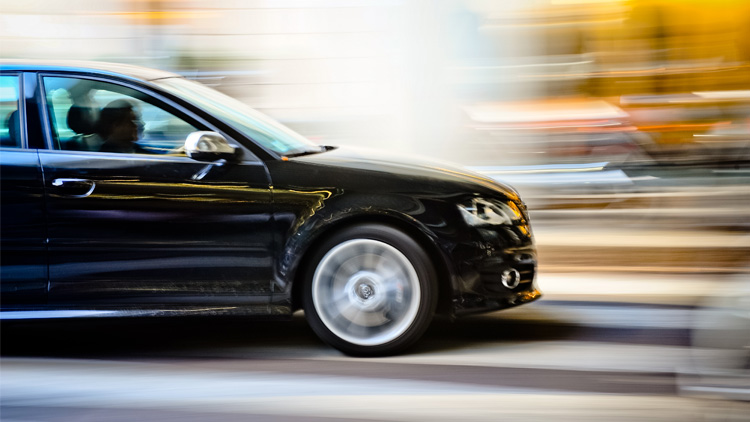
The motion blur effect in graphic design is a powerful visual tool that brings a sense of speed, energy, and movement to static images. Whether you’re working on digital artwork, advertising, or web design, this technique can transform ordinary visuals into dynamic compositions that grab attention. Understanding how to apply and control this effect is essential for designers who want to create compelling imagery that stands out.
In this article, we’ll explore the fundamentals of motion blur, its creative applications, and practical tips for achieving professional results. If you’re interested in related techniques for photography or video, you might also find our guide on motion blur on android camera helpful.
Understanding Motion Blur in Visual Design
Motion blur is the streaking or smearing of rapidly moving objects in an image. In graphic design, this effect is intentionally applied to suggest movement, speed, or the passage of time. It’s commonly used in sports graphics, automotive ads, technology branding, and digital art to create a sense of dynamism.
The technique originated from photography, where a slower shutter speed captures the movement of subjects. In digital design, software tools replicate this effect, allowing precise control over direction, intensity, and style. By mastering the use of motion blur, designers can guide the viewer’s eye, emphasize action, and add energy to otherwise static compositions.
Creative Uses for Motion Blur in Graphic Projects
There are many ways to incorporate motion blur into your work. Here are some popular applications:
- Highlighting Movement: Add blur to cars, athletes, or objects to convey speed and excitement.
- Background Effects: Use subtle blurring in backgrounds to create depth or focus attention on the main subject.
- Text Treatments: Apply motion blur to typography for futuristic or energetic branding.
- Transitions and Overlays: Use blurred elements as overlays or transitions in web and video graphics for a smooth, modern look.

How to Create Motion Blur Effects in Design Software
Most modern graphic design programs, such as Adobe Photoshop, Illustrator, and Affinity Photo, offer built-in tools for adding motion blur. Here’s a step-by-step overview of the process using Photoshop as an example:
- Open Your Image: Start with a high-resolution photo or artwork.
- Duplicate the Layer: Always work on a copy to preserve the original.
- Select the Area: Use selection tools to isolate the part of the image you want to blur.
- Apply the Motion Blur Filter: Go to Filter > Blur > Motion Blur. Adjust the angle and distance to match the direction and speed you want to convey.
- Refine the Effect: Use layer masks to blend the blurred area with the rest of the image for a natural look.
- Fine-Tune: Adjust opacity, add gradients, or combine with other effects as needed.
Experimenting with different settings and blending modes can help you achieve unique results. For more advanced techniques, consider exploring motion blur post processing tips for additional ideas and workflows.
Best Practices for Using Motion Blur in Graphic Design
While the motion blur effect in graphic design can be visually striking, it’s important to use it thoughtfully. Here are some best practices to keep in mind:
- Maintain Clarity: Avoid overusing blur, which can make images look messy or confusing.
- Match the Direction: The blur angle should align with the movement in your scene for a realistic effect.
- Balance with Sharp Elements: Combine blurred and crisp areas to create contrast and guide the viewer’s focus.
- Consider the Message: Use motion blur to enhance the story or emotion you want to convey, not just as a decorative effect.
- Test Across Devices: Make sure your designs look good on both desktop and mobile screens, as blur can appear differently depending on resolution and display.

Comparing Motion Blur in Graphic Design, Photography, and Video
The concept of motion blur is used across several creative fields, each with its own nuances:
- Graphic Design: The effect is digitally applied for stylization and emphasis.
- Photography: Achieved through camera settings, capturing real movement. For a deeper dive, see this comprehensive guide to capturing motion blur in photography.
- Video: Used to simulate realistic motion or create stylized transitions. For more on this, visit our resource on motion blur in videography.
Understanding these differences helps designers choose the right approach for each project and medium.
Tips for Achieving Professional Results
To get the most out of motion blur in your designs, consider these practical tips:
- Use High-Resolution Images: Blurring low-quality images can result in unwanted artifacts.
- Combine with Other Effects: Pair motion blur with gradients, lighting, or color overlays for richer visuals.
- Leverage Layer Masks: Masks allow for precise control over where and how much blur is applied.
- Preview at Different Sizes: Check your design at various scales to ensure the blur looks intentional and not accidental.
- Stay Consistent: If using motion blur across a campaign or series, keep the style and direction uniform for a cohesive look.
Frequently Asked Questions
What is the main purpose of using motion blur in graphic design?
The primary goal is to convey movement, speed, or energy within a static image. This technique helps direct the viewer’s attention, adds drama, and enhances storytelling in visual compositions.
Can motion blur be applied to text elements?
Yes, designers often use motion blur on typography to create a sense of action or to achieve a futuristic look. It’s important to ensure that the text remains legible and the effect supports the overall design message.
How do I avoid overdoing the motion blur effect?
Use the effect sparingly and with intention. Focus on key areas that benefit from added movement, and always preview your design on different devices to ensure clarity. Combining blurred and sharp elements can help maintain balance.
Are there alternatives to motion blur for creating movement?
Other techniques include using dynamic lines, gradients, or repeating shapes to suggest direction and speed. Animation and video transitions can also bring movement to digital projects.