

Capturing the smooth, cinematic look of slow motion often depends on a subtle visual effect: motion blur in slow motion video. This phenomenon is both a technical and creative consideration for filmmakers, video editors, and content creators. Understanding how motion blur works, why it appears differently in slow motion, and how to control it can make a significant difference in the quality and realism of your footage.
Whether you’re shooting high-speed sports, creative music videos, or industrial processes, the right amount of blur can add depth and realism—or, if mishandled, make footage look unnatural. In this article, we’ll break down the science behind motion blur, explore its impact on slow-motion footage, and offer practical tips for achieving the best results.
For those interested in related concepts, understanding the motion blur vs camera shake distinction is crucial, as these two effects are often confused but have different causes and solutions.
What Is Motion Blur and Why Does It Matter?
Motion blur is the visible streaking or smearing of moving objects in a frame, caused by the movement of the subject or camera during the exposure time of each frame. In video, this effect is a natural byproduct of how cameras record motion over time. The amount of blur depends on how fast the subject is moving and how long the camera’s shutter is open for each frame.
In everyday video, some blur is expected and even desirable. It helps our brains interpret motion smoothly, making footage appear more natural. Too little blur can make movement look choppy or artificial, while too much can obscure important details.
How Slow Motion Affects Motion Blur
When you record at high frame rates to create slow-motion effects, the camera captures more frames per second (fps) than normal. For example, instead of the standard 24 or 30 fps, you might shoot at 120, 240, or even 1,000 fps. Each frame is exposed for a much shorter time, which reduces the amount of blur in each frame.
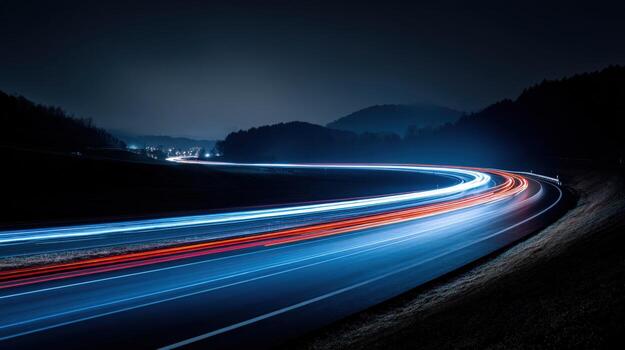
This reduction in blur can make slow-motion footage look unnaturally sharp or “stuttery,” especially when compared to real-life perception. Our eyes are used to seeing some blur when objects move quickly. Without it, slow-motion clips can lose the sense of fluidity and realism that audiences expect.
Shutter Angle and Its Role in Creating Natural Blur
The shutter angle is a filmmaking term that describes the relationship between frame rate and exposure time. A typical shutter angle of 180 degrees means the shutter is open for half the duration of each frame. This setting produces a natural amount of blur at standard frame rates.
When shooting high-speed video, if you keep the same shutter angle, the exposure time per frame drops dramatically. For example, at 240 fps and a 180-degree shutter, each frame is exposed for just 1/480th of a second. The result is crisp, almost blur-free frames. While this can be useful for scientific or industrial analysis—such as in industrial vision inspection—it often looks less cinematic.
Techniques to Add or Restore Motion Blur in Slow Motion
To achieve a more natural look, filmmakers often try to reintroduce blur into slow-motion footage. Here are some common methods:
- Lower the shutter speed during capture: If lighting allows, use a slower shutter speed to increase blur. This can be challenging at high frame rates due to exposure limits.
- Use ND filters: Neutral density filters reduce the amount of light hitting the sensor, letting you use slower shutter speeds even in bright conditions.
- Apply motion blur in post-production: Editing software like Adobe After Effects or DaVinci Resolve can simulate blur by blending frames or using vector-based effects. This is especially helpful if you couldn’t achieve the desired blur in-camera.
- Experiment with frame blending: Some video editors offer frame blending or optical flow tools that interpolate motion and add artificial blur.
Creative Uses and Challenges of Motion Blur in Slow Motion
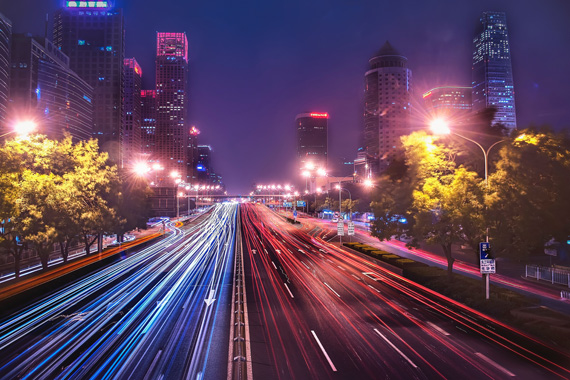
While some projects demand razor-sharp slow-motion for technical analysis, most narrative and commercial work benefits from a touch of blur. It can emphasize speed, create atmosphere, or simply make movement feel more lifelike. However, balancing exposure, lighting, and desired blur can be tricky, especially when working outdoors or with limited equipment.
It’s also important to distinguish between motion blur and other artifacts, such as camera shake. For a deeper dive into their differences, see the detailed comparison on motion blur vs camera shake.
Examples and Inspiration
Many iconic films and commercials use slow-motion with carefully controlled blur to create memorable visuals. For photographers and videographers looking for creative inspiration, this collection of beautiful motion blur photography showcases how the effect can be used artistically across different genres.
Best Practices for Achieving Natural-Looking Blur
- Plan your lighting: Shooting with slower shutter speeds requires more control over light. Use ND filters or shoot in lower-light conditions when possible.
- Test different settings: Experiment with various shutter angles and frame rates to find the right balance for your project.
- Use post-production tools wisely: Digital blur can help, but overdoing it may introduce artifacts or reduce sharpness where you want it.
- Consider your audience: Scientific, industrial, and sports analysis may prioritize clarity over cinematic feel, while narrative work often benefits from more natural blur.
Frequently Asked Questions
Why does slow-motion footage sometimes look unnatural?
When shooting at high frame rates, each frame is exposed for a very short time, resulting in little or no blur. This can make movement appear overly crisp or stuttery, which differs from how we perceive motion in real life. Adding blur either during capture or in post-production helps restore a more natural look.
How can I add motion blur to slow-motion video if I didn’t capture it in-camera?
Most professional video editing software offers tools to simulate blur. Techniques include frame blending, motion vector effects, or plugins designed specifically for this purpose. While not identical to natural blur, these methods can significantly improve the realism of your footage.
What’s the difference between motion blur and camera shake?
Motion blur results from the movement of subjects during exposure, while camera shake is caused by unintended movement of the camera itself. The two can sometimes appear similar but have different causes and solutions. For more details, review the article on motion blur vs camera shake.
Is motion blur always desirable in slow-motion footage?
Not always. The ideal amount of blur depends on your creative goals. For technical or scientific analysis, minimal blur is often preferred for clarity. For cinematic or narrative work, some blur usually enhances realism and visual appeal.