
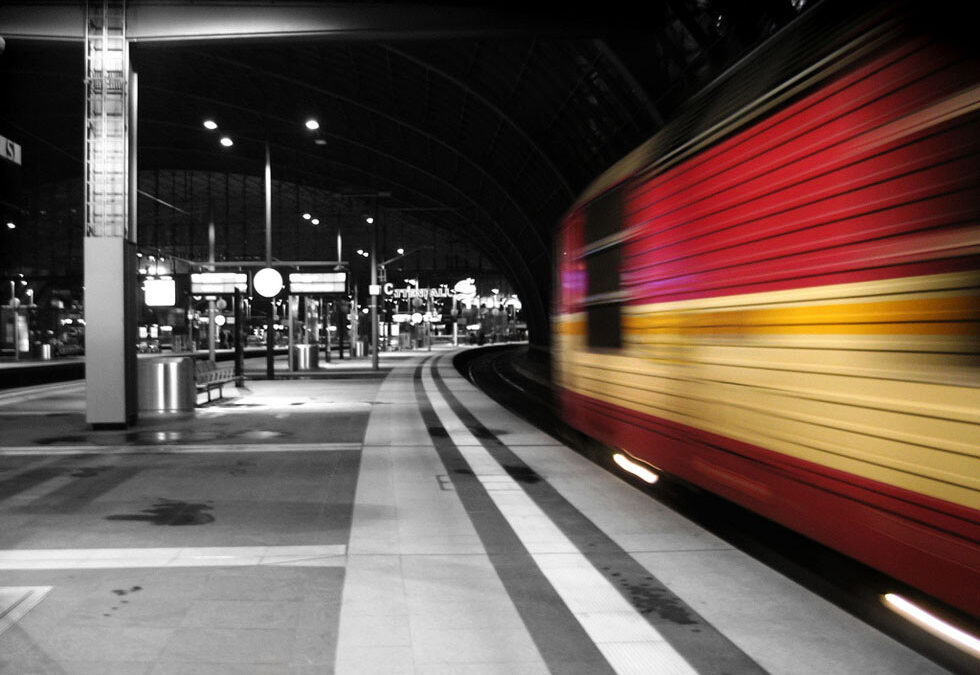
Capturing motion blur in photography is a creative way to convey movement, energy, and the passage of time within a still image. The key to achieving this effect lies in choosing the best shutter speed for motion blur. While there is no universal setting, understanding how shutter speed interacts with your subject, lighting, and camera stability will help you master this technique and produce dynamic, visually compelling photos.
Whether you’re photographing flowing water, bustling city streets, or athletes in action, the right approach to shutter speed can make all the difference. For those just starting out, exploring resources like the motion blur settings for beginners guide can provide a solid foundation before diving into more advanced techniques.
Understanding Shutter Speed and Motion Blur
Shutter speed refers to the length of time your camera’s sensor is exposed to light. When you use a slower shutter speed, moving subjects appear blurred along the direction of motion, creating the effect known as motion blur. This technique can be used to emphasize speed, illustrate movement, or add a sense of drama to your images.
On the other hand, a fast shutter speed will freeze motion, resulting in crisp and clear images with little to no blur. The challenge is to find the right balance: too much blur can obscure your subject, while too little may not convey the sense of movement you want.
Choosing the Right Shutter Speed for Blurred Motion
The ideal shutter speed for capturing movement depends on several factors:
- Speed of the subject: Faster subjects require quicker shutter speeds to avoid excessive blur, while slower subjects can be captured with longer exposures.
- Amount of blur desired: Decide whether you want a subtle hint of movement or a dramatic streaking effect.
- Available light: Lower light conditions often require slower shutter speeds, but you may need to compensate with a tripod or higher ISO.
- Camera stability: Handheld shots are more prone to camera shake at slower shutter speeds, so using a tripod is recommended for exposures longer than 1/60 second.
Recommended Shutter Speed Ranges for Motion Effects
While experimentation is encouraged, the following guidelines can help you get started with different types of motion photography:
- Light trails and night traffic: 1–30 seconds
- Flowing water (silky effect): 0.5–5 seconds
- Sports and fast action (some blur): 1/30–1/125 second
- People walking (noticeable blur): 1/8–1/30 second
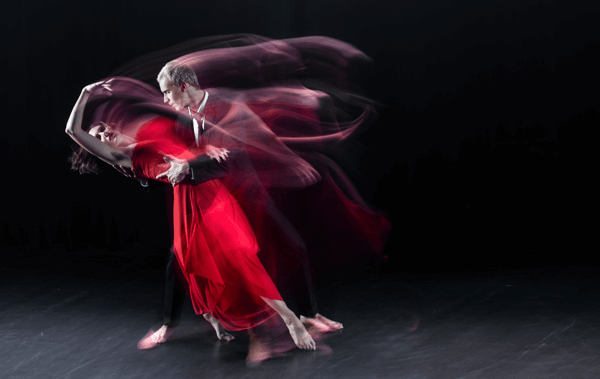
- Intentional camera movement (ICM): 0.5–2 seconds
How to Set Up Your Camera for Creative Motion Blur
To achieve striking results, it’s important to control your camera settings and environment. Here are some practical steps:
- Switch to Shutter Priority or Manual Mode: Most cameras offer a Shutter Priority (S or Tv) mode, allowing you to select the shutter speed while the camera adjusts aperture automatically. Manual mode gives you full control but requires balancing exposure.
- Use a Tripod: For exposures slower than 1/60 second, a tripod minimizes camera shake and keeps static elements sharp.
- Adjust ISO Sensitivity: In low light, increasing ISO can help maintain proper exposure, but be mindful of potential noise.
- Experiment with ND Filters: Neutral density filters reduce the amount of light entering the lens, allowing for longer exposures even in bright conditions.
- Pre-focus Your Subject: Autofocus can struggle in low light or with moving subjects. Pre-focusing on the area where the action will occur can improve sharpness.
Creative Techniques for Dynamic Images
Beyond simply slowing down your shutter, there are several creative approaches to enhance your motion blur photography:
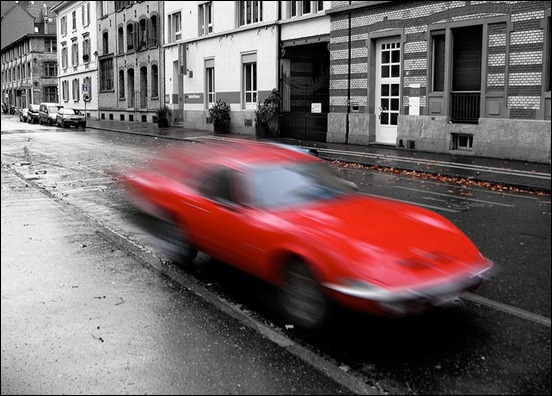
- Panning: Move your camera along with the subject during exposure. This keeps the subject relatively sharp while blurring the background, emphasizing speed.
- Zoom Burst: Adjust the zoom ring during a long exposure to create radial blur effects.
- Layered Motion: Combine static and moving elements for contrast, such as a sharp subject against a blurred crowd.
Common Challenges and Solutions
Achieving the perfect amount of blur can be tricky. Here are some frequent issues and how to address them:
- Unwanted camera shake: Use a tripod and, if possible, a remote shutter release or the camera’s timer function.
- Overexposed images: Try using a lower ISO, a smaller aperture (higher f-number), or an ND filter to reduce light.
- Subject too blurry: Increase your shutter speed slightly, or use panning to keep the subject sharp while blurring the background.
- Not enough blur: Slow down the shutter speed further, but ensure you compensate for exposure and stability.
For more inspiration and practical examples, exploring motion blur composition examples can help you visualize different approaches and outcomes.
Further Learning and Resources
Understanding the science behind motion blur and its impact on visuals can deepen your appreciation and technical skills. For a comprehensive explanation, check out this in-depth article on what motion blur is and how it affects visuals.
If you’re interested in cinematic techniques or want to refine your skills for social media, guides like the motion blur cinematic photography guide and motion blur Instagram photography tips offer specialized advice.
FAQ: Motion Blur and Shutter Speed
What is the ideal shutter speed for capturing moving water?
To create a silky, smooth effect in waterfalls or streams, try using a shutter speed between 0.5 and 5 seconds. The exact setting will depend on the speed of the water and available light. Using a tripod is essential to keep the rest of the scene sharp.
How do I avoid unwanted blur in my photos?
If you notice blur in areas that should be sharp, increase your shutter speed or stabilize your camera with a tripod. For handheld shots, keep your shutter speed at or above 1/60 second, or use image stabilization if available.
Can I achieve motion blur in bright daylight?
Yes, but you may need to use a neutral density (ND) filter to reduce the amount of light entering your lens. This allows you to use slower shutter speeds without overexposing your image, making it possible to capture motion blur even in sunny conditions.
Is there a difference between motion blur in photography and video?
While the principles are similar, motion blur in video is influenced by frame rate and shutter angle as well as shutter speed. In photography, you control the effect with exposure time, while in video, consistent motion blur helps create natural-looking movement between frames.
Where can I see before and after examples of motion blur?
For visual comparisons and inspiration, visit the motion blur before and after examples guide to see how different shutter speeds impact the final image.