

Creating a sense of movement and dimension in photography can transform an ordinary shot into something truly striking. The motion blur depth effect is a powerful technique that photographers use to add drama, energy, and a three-dimensional feel to their images. By intentionally blurring parts of a photo while keeping the subject sharp, you can guide the viewer’s eye and evoke a sense of action or atmosphere that static images often lack.
Whether you’re capturing city streets, sports, wildlife, or creative portraits, mastering this approach opens up new creative possibilities. In this guide, you’ll learn how to achieve this dynamic look, what equipment and settings work best, and how to refine your results both in-camera and in post-processing. For more inspiration on how to compose compelling images using movement, check out these motion blur composition examples before diving into the techniques below.
Understanding the Motion Blur Depth Effect
At its core, the motion blur depth effect combines selective blurring with sharp focus to create a layered sense of space. This technique leverages the way our eyes interpret depth and movement, making photos feel more immersive and alive. Unlike simple blur, which can make an image look out of focus or accidental, this method uses controlled blur to enhance storytelling and visual impact.
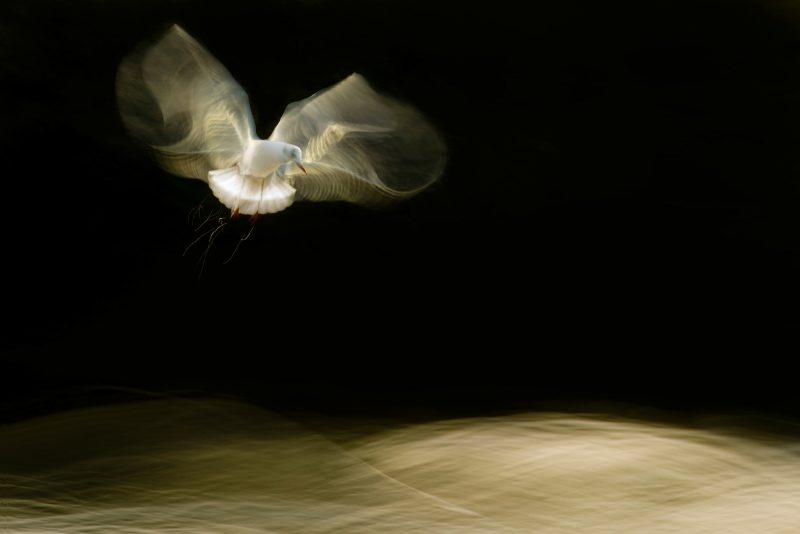
The effect is often achieved by tracking a moving subject with your camera (panning), or by using a slower shutter speed to allow motion to streak across the frame. When executed well, the subject remains crisp while the background or surrounding elements blur, emphasizing speed and direction.
Essential Gear and Camera Settings
While you don’t need the most expensive gear to experiment with this style, certain tools and settings can make a big difference. Here’s what to consider:
- Camera: Any camera with manual control over shutter speed will work, including DSLRs, mirrorless models, and even advanced smartphones.
- Lens: Fast lenses with wide apertures allow more light in, which helps when shooting in lower light or when you want to isolate your subject.
- Tripod or Monopod: Stabilization is crucial for keeping your subject sharp while the background blurs, especially during panning shots.
- Shutter Speed: Experiment with slower shutter speeds, typically between 1/15 and 1/60 of a second, depending on the speed of your subject and the desired amount of blur.
- Focus Mode: Continuous autofocus (AI Servo/AF-C) helps keep moving subjects sharp.
Techniques for Creating Dynamic Depth in Photos
There are several ways to achieve a sense of depth and motion in your images. Here are some practical methods:
Panning for Isolated Subject Movement
Panning involves moving your camera horizontally to follow a moving subject. As you track the subject and use a slower shutter speed, the background blurs while the subject remains relatively sharp. This method is ideal for sports, vehicles, or wildlife photography.
- Set your camera to shutter priority mode (S or Tv).
- Choose a shutter speed between 1/15 and 1/60 seconds.
- Lock focus on your subject and move the camera smoothly in sync with their motion.
- Press the shutter while maintaining the panning movement.
Intentional Camera Movement (ICM)
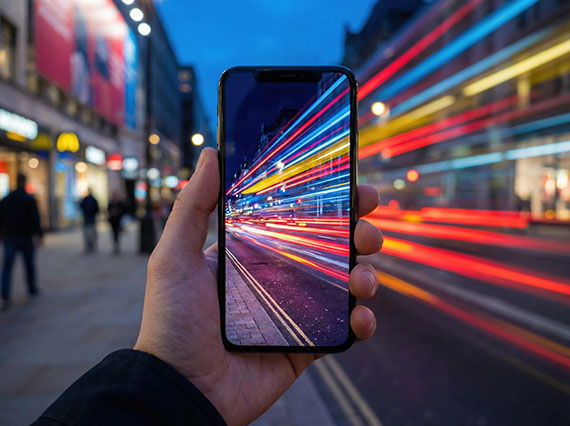
Instead of tracking a subject, you can move the camera during exposure to create abstract effects. Vertical or diagonal movements work well with landscapes, trees, or lights, producing painterly streaks that add texture and depth.
Layered Foreground and Background Blur
By combining a wide aperture with motion blur, you can create a pronounced separation between your subject and the rest of the scene. This approach draws attention to the main element while giving the image a sense of three-dimensionality.
Tips for Achieving the Best Results
- Plan Your Shot: Anticipate the direction and speed of your subject to maximize the effect.
- Use Burst Mode: Continuous shooting increases your chances of capturing the perfect moment.
- Practice Smooth Movements: Jerky camera motion can ruin the effect. Practice panning or ICM techniques to develop a steady hand.
- Adjust ISO as Needed: In low light, raise your ISO to maintain a proper exposure without sacrificing shutter speed.
- Refine in Post-Processing: Use editing software to enhance contrast, selectively sharpen the subject, or add additional blur for emphasis.
Editing and Enhancing the Depth Effect
Post-processing can help fine-tune your results, especially if you want to emphasize the sense of depth or correct minor focus issues. Tools like Adobe Photoshop and Lightroom offer blur filters, masking, and selective sharpening to enhance the effect. For a detailed overview of techniques and creative ideas, see this comprehensive guide to motion blur photography.
When editing, avoid overdoing the blur, as it can make the image look artificial. Focus on maintaining a natural transition between sharp and blurred areas, and use local adjustments to draw attention to your subject.
Common Mistakes and How to Avoid Them
- Unintentional Blur: If your subject is blurry, increase your shutter speed or improve your panning technique.
- Overexposed Images: Slow shutter speeds can let in too much light. Use a smaller aperture or lower ISO to compensate.
- Distracting Backgrounds: Busy or colorful backgrounds can compete with your subject. Look for clean, simple scenes to maximize impact.
- Ignoring Composition: Remember to apply compositional rules like the rule of thirds, leading lines, and framing to enhance the overall image.
Further Resources and Inspiration
Exploring different approaches and learning from others can help you refine your technique. For a cinematic approach to movement in photography, visit the motion blur cinematic photography guide. If you’re just starting out, the motion blur settings for beginners article covers the basics in more detail. For a look at how these techniques transform images, see the motion blur before and after examples guide. And if you want to share your results on social media, check out these motion blur Instagram photography tips.
Frequently Asked Questions
What is the best shutter speed for creating a sense of motion and depth?
The ideal shutter speed depends on your subject’s speed and the amount of blur you want. For most panning shots, start with 1/30 to 1/60 of a second. Faster subjects may require even slower speeds, while slower subjects might need a faster shutter to keep them sharp.
Can I achieve this effect with a smartphone camera?
Yes, many modern smartphones offer manual controls or dedicated modes for capturing motion. Use apps that allow you to adjust shutter speed, and practice steady panning or intentional movement for creative results.
How can I make my subject stand out when using motion blur?
Keep your subject sharp by using continuous autofocus and tracking their movement carefully. Use a wide aperture to blur the background further, and consider editing tools to selectively enhance sharpness and contrast around your main subject.