
Capturing motion blur with tripod is a powerful technique in photography, allowing you to convey movement, energy, and the passage of time in a single frame. By stabilizing your camera on a tripod, you can use slower shutter speeds to create artistic effects without sacrificing overall image sharpness. This approach is widely used in genres like landscape, cityscape, and creative portraiture, offering endless opportunities to experiment with light and motion.
Whether you’re aiming to smooth out flowing water, capture the rush of city traffic, or add a dreamy quality to portraits, understanding how and when to use this method is essential. Before diving into the practical details, you might find it helpful to explore some motion blur composition examples for inspiration and creative ideas.
Understanding the Role of a Tripod in Motion Blur Photography
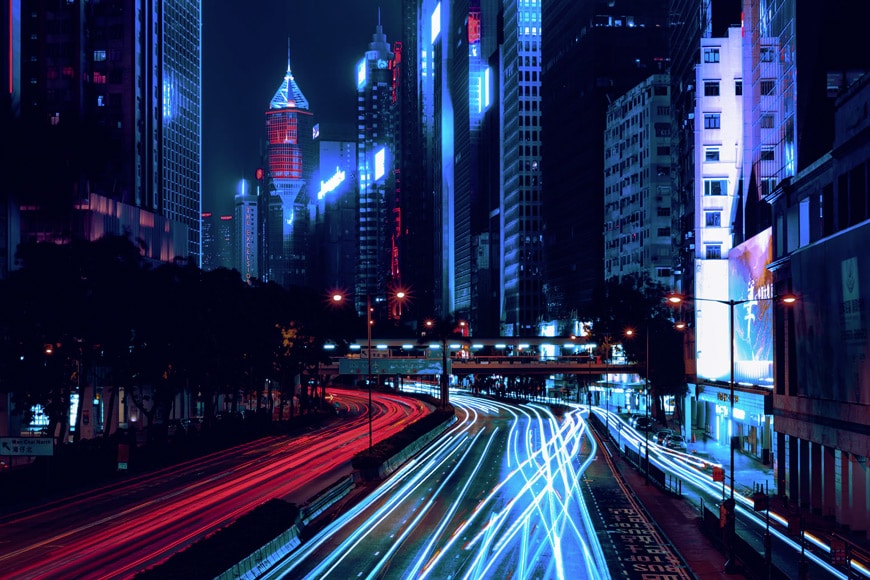
The key to achieving controlled motion blur with tripod lies in separating the moving elements from the static ones. A tripod keeps your camera steady during long exposures, ensuring that only the subjects in motion appear blurred while the rest of the scene remains crisp. This contrast draws the viewer’s eye and adds a dynamic quality to your images.
Without a stable base, even the slightest hand movement can result in unwanted camera shake, making the entire photo look soft. By using a tripod, you gain the flexibility to experiment with slower shutter speeds—sometimes several seconds or even minutes—depending on the effect you want to achieve.
When to Use a Tripod for Motion Blur Effects
Not every situation calls for this technique, but there are several scenarios where it shines:
- Flowing Water: Rivers, waterfalls, and ocean waves become silky and ethereal with longer exposures.
- City Lights and Traffic: Nighttime cityscapes benefit from light trails and blurred movement of vehicles.
- Cloud Movement: Long exposures during the day can turn drifting clouds into soft streaks across the sky.
- Creative Portraits: Introducing intentional blur in hair, clothing, or background elements adds a sense of life and motion.
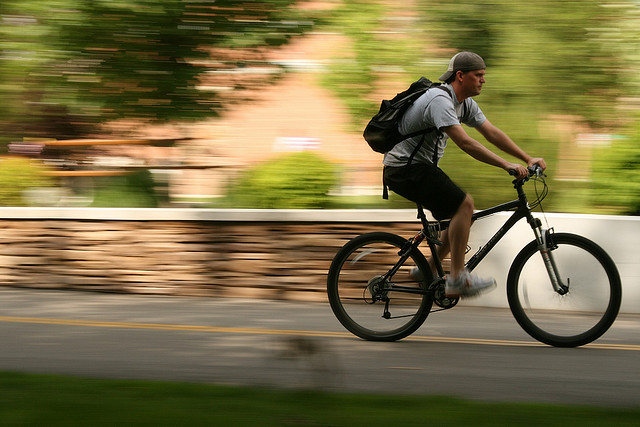
- Sports and Action: Panning with a tripod can isolate moving subjects against a blurred background.
Essential Camera Settings for Blurred Motion with a Stable Base
To make the most of motion blur with tripod, you’ll need to adjust your camera settings carefully. Here are the main factors to consider:
Shutter Speed
The most critical setting is shutter speed. The longer it stays open, the more movement is captured as blur. For subtle effects, try starting at 1/15 or 1/8 of a second. For more pronounced trails, experiment with exposures of several seconds or more.
Aperture and ISO
Since longer exposures let in more light, you may need to use a smaller aperture (higher f-number) or lower ISO to avoid overexposing your image. Neutral density (ND) filters are also helpful for shooting in bright conditions, as they reduce the amount of light entering the lens, allowing for longer shutter speeds even during the day.
Focus and Stability
Use manual focus or lock autofocus before starting your exposure to prevent the camera from hunting for focus during the shot. If your tripod is sturdy, turn off image stabilization to avoid micro-vibrations. Use a remote shutter release or your camera’s self-timer to minimize shake when pressing the shutter button.
Creative Approaches and Inspiration
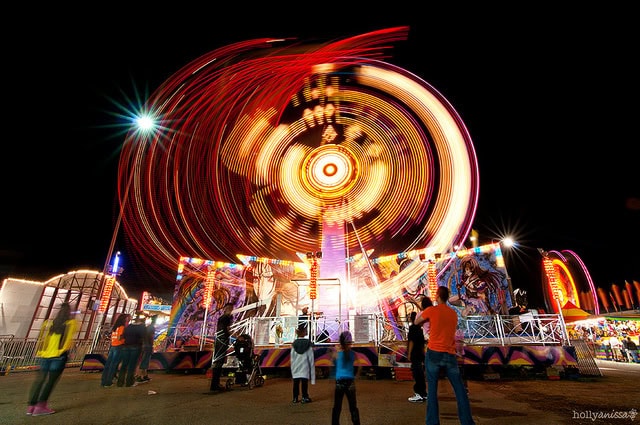
There are countless ways to use this technique to enhance your photography. Try combining static and moving elements for dramatic contrast, or use colored lights and reflective surfaces for abstract effects. For more ideas and practical tips, you might enjoy reading the motion blur cinematic photography guide or exploring motion blur before and after examples to see how subtle adjustments can transform an image.
Looking for even more inspiration? Check out this collection of beautiful motion blur photos from photographers around the world.
Common Mistakes and How to Avoid Them
- Camera Shake: Even with a tripod, wind or unstable surfaces can cause blur. Weigh down your tripod or use a remote release for best results.
- Overexposure: Long exposures in bright light can wash out your image. Use ND filters and check your histogram to maintain detail.
- Unwanted Subject Movement: If you want only certain elements blurred, time your shot carefully or use masking techniques in post-processing.
- Ignoring Composition: Don’t focus solely on the blur effect—pay attention to framing, leading lines, and the overall balance of your scene.
Tips for Getting Started with Motion Blur and Tripods
- Scout your location and plan your composition before setting up your tripod.
- Start with moderate shutter speeds and review your results, adjusting as needed for more or less blur.
- Experiment with different times of day for varying light and motion conditions.
- Use your camera’s histogram and highlight warnings to avoid blown-out areas.
- Practice patience—sometimes the best results come from waiting for the right moment or movement.
If you’re new to this style, the motion blur settings for beginners guide provides a practical overview of camera settings and techniques to help you get started.
Frequently Asked Questions
What shutter speed should I use for motion blur with a tripod?
The ideal shutter speed depends on your subject and the amount of blur you want to capture. For gentle movement, try 1/15 to 1/4 second. For more dramatic effects, exposures of several seconds may be needed. Always review your results and adjust accordingly.
Do I always need a tripod for motion blur photography?
While a tripod is essential for keeping static elements sharp during long exposures, you can sometimes achieve motion blur handheld with very fast-moving subjects and short shutter speeds. However, for consistent and professional results, especially in low light or with complex scenes, a tripod is highly recommended.
How can I prevent overexposure when using slow shutter speeds?
To avoid overexposing your images, use a smaller aperture (higher f-number), lower ISO, and consider adding a neutral density filter to reduce the amount of light entering your lens. Shooting during early morning, late evening, or overcast conditions also helps manage exposure.
Can I use motion blur techniques for social media photography?
Absolutely! Creative blur effects can make your images stand out on platforms like Instagram. For more tailored advice, see these motion blur Instagram photography tips.