
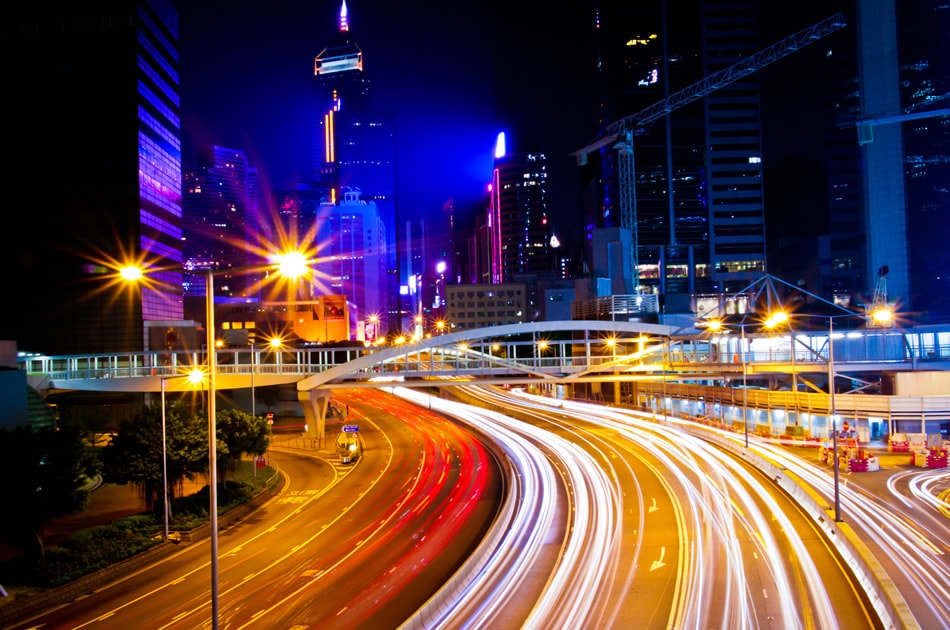
The motion blur foreground effect is a powerful technique for photographers and digital artists looking to add a sense of speed, depth, or dynamic energy to their images. By intentionally blurring elements in the foreground, you can guide the viewer’s eye, create separation between subject and background, and inject a creative twist into otherwise static scenes. Whether you’re working with a camera or editing in post-production, understanding how to control and use this effect can dramatically elevate your visual storytelling.
In this article, we’ll break down the fundamentals of foreground motion blur, explore practical shooting tips, discuss editing strategies, and highlight creative applications. For those interested in further inspiration, you might also enjoy exploring motion blur composition examples that showcase a variety of artistic approaches.
Understanding Foreground Motion Blur in Photography
At its core, the motion blur foreground effect involves capturing or simulating movement in the front part of an image. This technique can be achieved in-camera by using slower shutter speeds or added during post-processing. The result is a compelling sense of motion that draws attention to the subject or adds atmosphere to the scene.
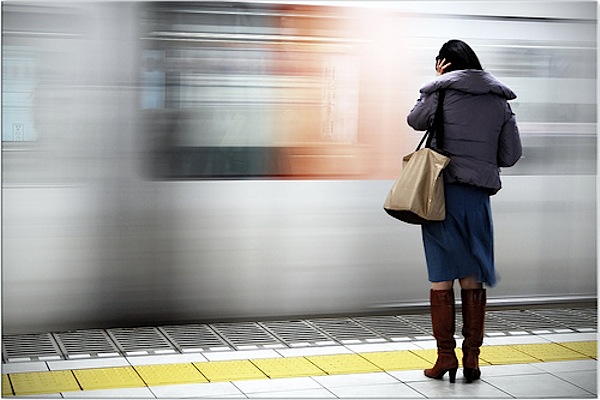
Unlike background blur, which often isolates the subject, foreground blur introduces a layer of abstraction or energy in front of the main focus. This can be especially effective in genres like street, sports, and urban photography, where movement is a key part of the story.
Essential Camera Settings for Capturing Foreground Blur
Achieving a convincing motion blur foreground effect starts with the right camera settings. Here are some key considerations:
- Shutter Speed: Use a slower shutter speed (typically between 1/10 and 1/60 second) to allow moving objects in the foreground to blur while keeping the main subject sharp.
- Aperture: A wider aperture (lower f-number) helps separate the subject from the blurred foreground, enhancing depth.
- Focus Point: Set your focus on the main subject, not the moving foreground elements, to ensure clarity where it matters most.
- Stabilization: Use a tripod or image stabilization to prevent unwanted camera shake, especially when using slow shutter speeds.
For those new to these settings, the motion blur settings for beginners guide provides a step-by-step walkthrough to help you get started.
Creative Techniques for Dynamic Foreground Effects
There are several ways to introduce motion blur into the foreground of your images. Here are a few creative approaches:
- Panning: Track a moving subject with your camera while using a slow shutter speed. This keeps the subject relatively sharp while blurring everything else, including foreground elements.
- Intentional Obstruction: Place objects like leaves, glass, or fabric close to the lens and move them during the exposure. This creates organic, abstract streaks in the foreground.
- Long Exposure: In busy environments, use a long exposure to blur people, vehicles, or other moving objects passing in front of your subject.
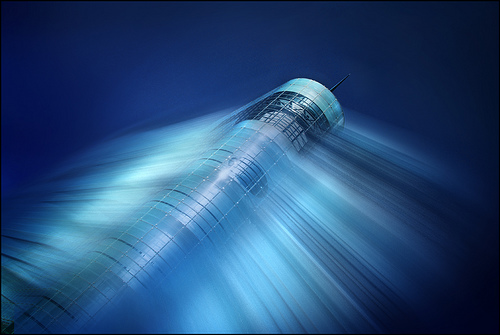
- Zoom Blur: Zoom in or out during the exposure to create radial blur effects, adding a sense of motion radiating from the center.
Editing and Enhancing Foreground Blur in Post-Production
If you didn’t capture the desired blur in-camera, digital editing tools can help you add or enhance the effect. Here’s how to approach this in post-processing:
- Layer Masking: Duplicate your image, apply a blur filter (such as Gaussian or Motion Blur) to the top layer, and then mask out everything except the foreground. This allows you to control exactly where the blur appears.
- Selective Blur Tools: Use tools like Photoshop’s Path Blur or Field Blur to create directional or depth-based blur effects in specific areas.
- Opacity Adjustments: Lower the opacity of blurred layers to blend them naturally with the original image, avoiding an artificial look.
- Brushes and Gradients: Apply blur gradually using soft brushes or gradient masks for a more realistic transition between sharp and blurred areas.
For a deeper dive into editing techniques, you can reference this comprehensive guide to mastering motion blur photography that covers both in-camera and post-production workflows.
Practical Applications and Artistic Inspiration
The motion blur foreground effect is not limited to one style or genre. Here are some practical and creative uses:
- Street Photography: Blur passing crowds or vehicles to highlight a static subject, adding energy and narrative.
- Portraits: Use moving fabric, hair, or props in the foreground to add drama and a sense of movement.
- Nature and Landscape: Blur leaves, branches, or water in the foreground to create a dreamy, ethereal mood.
- Urban Scenes: Capture city lights or reflections in motion for a futuristic, abstract look.
For more ideas and visual references, the motion blur cinematic photography guide explores dramatic uses of this effect in storytelling.
Tips for Avoiding Common Mistakes
While experimenting with foreground blur, it’s easy to overdo the effect or lose sight of your main subject. Here are some tips to keep your images balanced:
- Maintain Subject Clarity: Always ensure your main subject remains sharp and distinguishable, even with heavy foreground blur.
- Use Blur Purposefully: Don’t add blur for its own sake—use it to enhance the story, mood, or composition.
- Check for Distractions: Avoid placing overly bright or colorful blurred objects in the foreground, as they can draw attention away from the subject.
- Test Different Angles: Move around your subject to find the most effective placement for foreground elements before committing to a shot.
Reviewing motion blur before and after examples can help you see the impact of subtle versus strong blur and guide your creative decisions.
Frequently Asked Questions
What camera settings work best for foreground motion blur?
The most important setting is shutter speed. Start with a slower shutter (such as 1/15 or 1/30 second) to capture movement in the foreground. Combine this with a wide aperture to keep your subject sharp and use manual focus to ensure accuracy. A tripod can help prevent unwanted camera shake.
Can I create this effect on my phone or only with a DSLR?
While DSLRs and mirrorless cameras offer more control, many smartphones now allow manual adjustments to shutter speed and focus. You can also use photo editing apps to simulate foreground blur after taking the shot, making this technique accessible to mobile photographers as well.
How do I avoid making the blur look artificial in editing?
Use gradual transitions and avoid harsh edges when applying blur in post-production. Layer masks, soft brushes, and blending modes help integrate the effect naturally. Always compare your edits to real-world motion blur for reference.
Conclusion
Mastering the motion blur foreground effect opens up new creative possibilities for photographers and digital artists. By understanding both the technical and artistic aspects, you can add energy, depth, and storytelling power to your images. Experiment with different techniques, review inspiring examples, and refine your approach to make this dynamic effect a valuable part of your visual toolkit.
For more inspiration and practical tips, check out motion blur Instagram photography tips to see how creators are using this effect on social media platforms.