
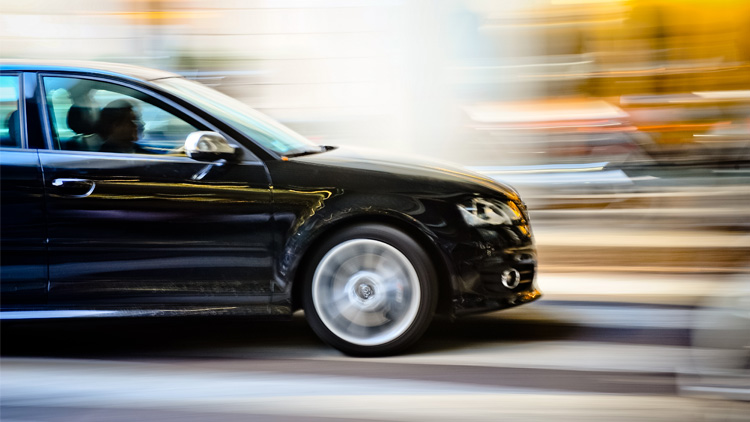
Capturing the vibrant energy of city nights through motion blur city lights photography is a rewarding challenge for photographers at any level. The interplay of moving lights, bustling traffic, and illuminated architecture creates dynamic scenes that can be transformed into stunning visual stories with the right techniques. Whether you’re aiming to freeze the rush of cars into colorful streaks or highlight the glow of neon signs against a dark backdrop, understanding how to harness motion blur is essential for achieving compelling results.
This article explores practical methods, camera settings, and creative ideas for photographing city lights with intentional blur. You’ll also find tips for gear selection, composition, and troubleshooting common issues. For those seeking more inspiration, you can browse through a range of motion blur composition examples to spark your creativity before diving deeper into the techniques below.
Essential Gear for Capturing Urban Motion Blur
To achieve crisp, controlled motion blur in city environments, having the right equipment is crucial. While a basic camera can get you started, certain tools will make the process smoother and your results more consistent.
- Tripod: A sturdy tripod is indispensable for long exposures. It prevents camera shake, ensuring that only moving subjects are blurred while stationary elements remain sharp.
- Remote Shutter Release or Timer: Using a remote or your camera’s self-timer minimizes vibrations caused by pressing the shutter button.
- Wide-Angle Lens: A lens with a wide field of view helps capture expansive cityscapes and dramatic light trails.
- ND Filter (Optional): Neutral density filters reduce the amount of light entering the lens, allowing for longer exposures even under bright city lights.
Camera Settings for Dynamic City Light Effects
Mastering camera settings is key to producing striking motion blur city lights photography. The goal is to balance exposure while allowing enough time for moving lights to create trails or patterns.
- Shutter Speed: Longer exposures (typically 1–30 seconds) allow moving lights to blur. Experiment with different durations to control the length and intensity of light trails.
- Aperture: Use a smaller aperture (higher f-number, such as f/8–f/16) to keep more of the scene in focus and help prevent overexposure during long exposures.
- ISO: Set your ISO as low as possible (ISO 100–400) to reduce noise in night scenes.
- Manual Focus: Autofocus can struggle in low light. Switch to manual focus and use live view or focus peaking to ensure sharpness on key elements.
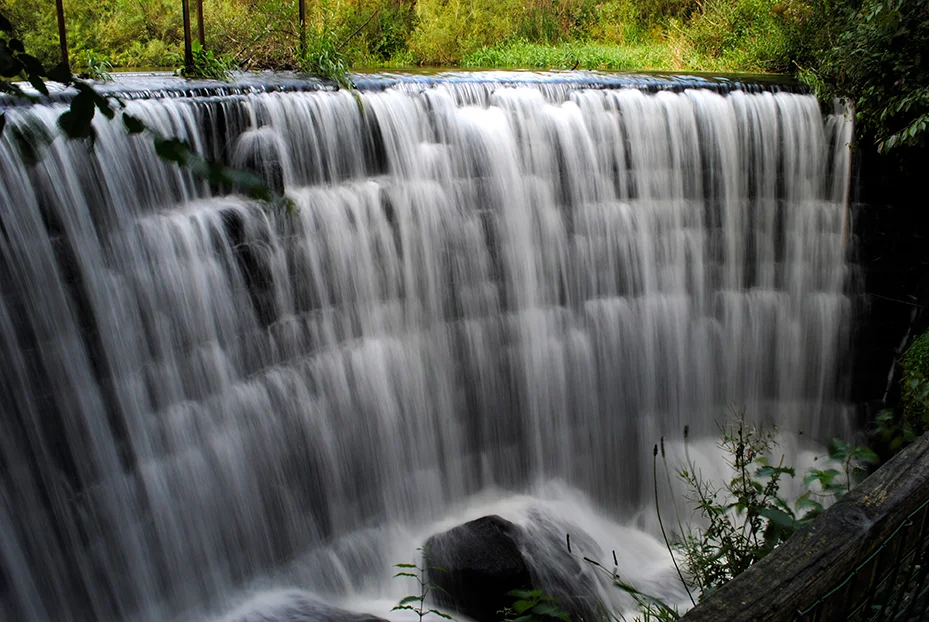
Creative Approaches to Urban Light Trails
There are several ways to approach city light photography with motion blur, each offering unique visual effects. Here are some popular techniques and ideas to try:
- Traffic Light Trails: Position yourself near busy intersections or highways to capture the continuous flow of headlights and taillights. Overpasses and pedestrian bridges provide excellent vantage points.
- Moving Pedestrians: Use slower shutter speeds to blur people walking through illuminated streets, adding a sense of movement and energy to the scene.
- Zoom Burst: While exposing, zoom your lens in or out to create radial streaks from city lights, resulting in a dynamic, abstract effect.
- Reflections: Wet pavement or glass surfaces can reflect blurred lights, doubling the impact and adding depth to your images.
For more advanced techniques and cinematic inspiration, consider reading the motion blur cinematic photography guide for additional creative ideas.
Compositional Tips for Striking City Night Shots
Composition plays a significant role in the impact of your city light images. Here are some strategies to enhance your results:
- Leading Lines: Use roads, bridges, or railings to guide the viewer’s eye through the frame and toward the brightest or most dynamic areas.
- Foreground Interest: Include elements like street signs, benches, or architectural features to add context and depth.
- Frame Within a Frame: Shoot through windows, arches, or other structures to create a sense of place and draw attention to the motion blur effects.
- Balance Static and Moving Elements: Contrast sharp, stationary buildings with blurred lights for a visually compelling image.
Troubleshooting Common Issues in Motion Blur Night Photography
Even with careful planning, you may encounter challenges when photographing city lights at night. Here are solutions to some frequent problems:
- Overexposed Highlights: City lights can easily blow out in long exposures. Use your camera’s histogram to check exposure and consider using an ND filter to extend shutter speed without overexposing.
- Unwanted Camera Shake: Always use a tripod and remote shutter release. If you don’t have a remote, set a 2-second timer to avoid touching the camera during exposure.
- Focus Issues: Pre-focus on a well-lit object at the desired distance, then switch to manual focus to lock it in place.
- Color Casts: Mixed lighting (street lamps, neon, car lights) can cause odd color shifts. Shoot in RAW to easily adjust white balance during post-processing.
Learning and Inspiration for Motion Blur Techniques
As you refine your skills, it’s helpful to review additional resources and examples. If you’re just starting out, the motion blur settings for beginners guide offers a step-by-step approach to understanding exposure and camera controls. To see how different adjustments affect your results, the motion blur before and after examples can be a valuable reference.
For more in-depth tips on capturing moving subjects and experimenting with creative blur, you might also find this comprehensive guide to motion blur in photography useful.
Frequently Asked Questions
What shutter speed should I use for city light trails?
The ideal shutter speed depends on the speed of moving lights and the effect you want. For most city traffic, exposures between 5 and 30 seconds create long, continuous light trails. Experiment with different durations to find the look that best suits your scene.
How can I reduce noise in my night city photos?
Use the lowest ISO setting possible and shoot in RAW format. A tripod allows for longer exposures without increasing ISO. In post-processing, apply noise reduction software to further clean up your images.
Do I need special filters for motion blur at night?
While not always necessary, neutral density (ND) filters can help you achieve longer exposures in brightly lit urban areas by reducing the amount of light entering the lens. This is especially useful if you want to use very slow shutter speeds without overexposing your shot.
How do I make my motion blur photos stand out on social media?
Focus on unique compositions, vibrant colors, and clear contrasts between static and moving elements. For more ideas tailored to sharing online, check out these motion blur Instagram photography tips.