
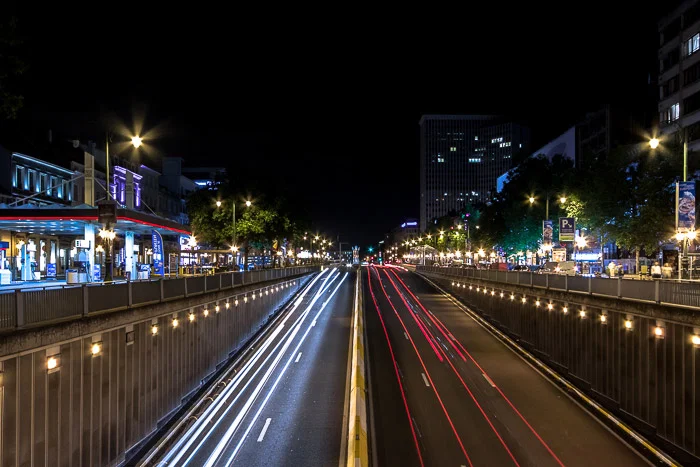
Creating dynamic and visually striking images often involves mastering various photographic techniques. One such method, motion blur with zoom effect, can transform ordinary scenes into energetic, abstract compositions. This approach blends the sense of movement with creative camera control, resulting in images that capture both speed and focus. Whether you are a photographer looking to add excitement to your portfolio or a designer seeking new visual effects, understanding how to achieve this look will expand your creative toolkit.
Before diving into the step-by-step process, it’s helpful to understand how this technique fits within the broader world of motion blur. If you’re interested in the science behind how we perceive blurred movement, you might enjoy reading about the motion blur and human vision connection, which explores how our eyes interpret fast-moving subjects.
Understanding the Zoom Blur Technique
The zoom blur effect is a creative form of motion blur achieved by zooming your camera lens in or out during a long exposure. Unlike traditional motion blur, which typically tracks a moving subject or pans the camera, zoom blur radiates lines from the center of the frame, drawing the viewer’s eye toward or away from the focal point. This technique is popular in both photography and graphic design for its ability to convey speed, energy, and focus.
The results can vary greatly depending on your subject, lighting, and how you handle your camera. While the effect is most commonly created in-camera, it can also be simulated in post-processing using software tools. For those interested in how this relates to digital art, the motion blur effect in graphic design guide offers additional insights.
Essential Equipment and Settings
To capture compelling zoom blur images, you’ll need a few key items:
- Camera with Manual Controls: A DSLR or mirrorless camera that allows you to adjust shutter speed and aperture.
- Zoom Lens: A lens with a variable focal length, such as 18-55mm or 24-70mm, is essential for this effect.
- Tripod: Stability is crucial to keep the center of your image sharp while the zoom creates streaks.
- Remote Shutter Release (optional): Helps minimize camera shake during long exposures.
For camera settings, start with these recommendations:
- Set your camera to Shutter Priority (Tv or S mode) or Manual mode.
- Choose a slow shutter speed, typically between 1/4 and 2 seconds. The exact time depends on ambient light and desired effect.
- Use a low ISO to reduce noise, especially in low-light conditions.
- Set a narrow aperture (high f-number) to increase depth of field and allow for longer exposures.
Step-by-Step Guide to Creating Zoom Motion Blur
Achieving the zoom blur effect in-camera is straightforward but requires practice. Follow these steps for the best results:
- Mount your camera on a tripod. This keeps the central subject sharp and prevents unwanted shake.
- Compose your shot. Place your main subject in the center of the frame for a classic zoom burst, or off-center for creative asymmetry.
- Set your exposure. Adjust your shutter speed, aperture, and ISO as described above. Take a test shot to ensure proper exposure.
- Initiate the exposure and zoom. As you press the shutter, smoothly twist the zoom ring in or out. The speed and consistency of your zoom will affect the final look.
- Review and adjust. Check your image and experiment with different zoom speeds, directions, and exposure times until you achieve the desired effect.
Creative Applications and Tips
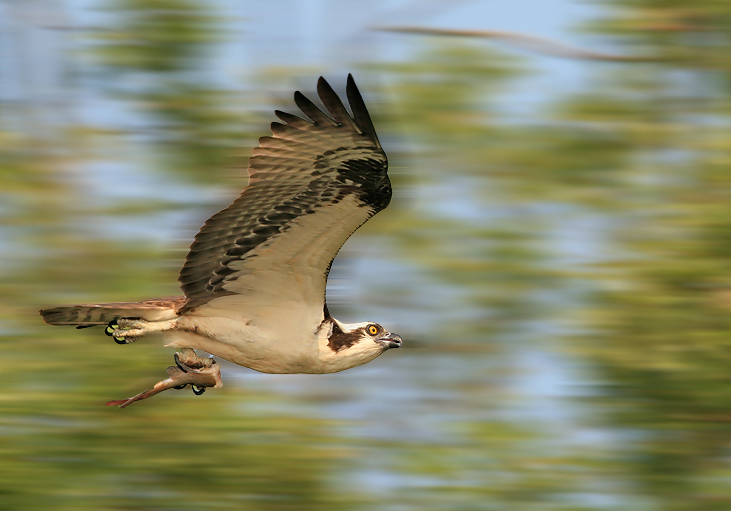
The zoom blur approach can be applied to a variety of subjects. City lights, flowers, portraits, and even abstract scenes benefit from this energetic look. Here are some tips to enhance your results:
- Experiment with light sources: Night scenes with bright lights or illuminated objects create dramatic streaks.
- Try partial zooms: Instead of zooming through the entire focal range, experiment with shorter, controlled zooms for subtler effects.
- Combine with other techniques: Pan the camera slightly or introduce intentional camera movement for unique results.
- Use filters: Neutral density (ND) filters allow for longer exposures in bright conditions, giving you more creative control.
Editing and Enhancing Zoom Blur in Post-Processing
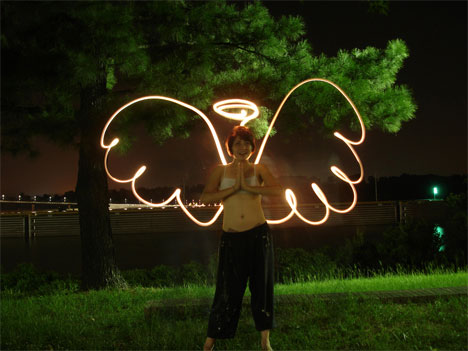
While capturing the effect in-camera offers the most authentic results, you can also create or enhance zoom blur using photo editing software. Programs like Adobe Photoshop provide radial blur filters that simulate this look. Here’s a basic workflow:
- Open your image in your editing software.
- Duplicate the background layer to preserve the original.
- Apply a radial blur or zoom blur filter, adjusting the strength and center point to match your vision.
- Use layer masks to selectively apply the effect, keeping your subject sharp while blurring the background.
- Fine-tune contrast, saturation, and sharpness as needed.
For those interested in how motion blur is used in digital environments, the motion blur in 3d rendering article discusses similar techniques in computer graphics.
Common Challenges and How to Overcome Them
Like any creative process, mastering the zoom blur approach comes with a learning curve. Here are some typical issues and solutions:
- Unwanted camera shake: Always use a tripod and, if possible, a remote shutter release.
- Overexposed images: Lower your ISO, use a smaller aperture, or add an ND filter to reduce light intake.
- Blurry subjects: Focus carefully on your main subject and avoid moving the camera during the zoom.
- Inconsistent zoom lines: Practice smooth, even zooming. Jerky movements can produce uneven streaks.
For a deeper dive into the broader topic, this comprehensive guide to mastering motion blur photography offers additional techniques and creative ideas.
Related Uses in Modern Media
The zoom blur method isn’t limited to still photography. It’s widely used in video production, gaming graphics, and digital art to convey speed and impact. For example, in video games, motion blur settings can enhance realism or create cinematic effects. If you’re interested in this aspect, the motion blur settings in video games guide provides practical advice for optimizing visual performance.
FAQ
What camera settings work best for zoom blur?
Use a slow shutter speed (between 1/4 and 2 seconds), a low ISO, and a narrow aperture. Mount your camera on a tripod and use a zoom lens for best results.
Can I create a zoom blur effect in editing software?
Yes, most photo editing programs offer radial or zoom blur filters. These allow you to simulate the effect by adjusting the blur strength and focal point, and you can use masking to keep your subject sharp.
What subjects are best suited for this technique?
Brightly lit scenes, cityscapes, flowers, portraits, and abstract compositions all work well. Experiment with different subjects to see which produce the most visually engaging results.