
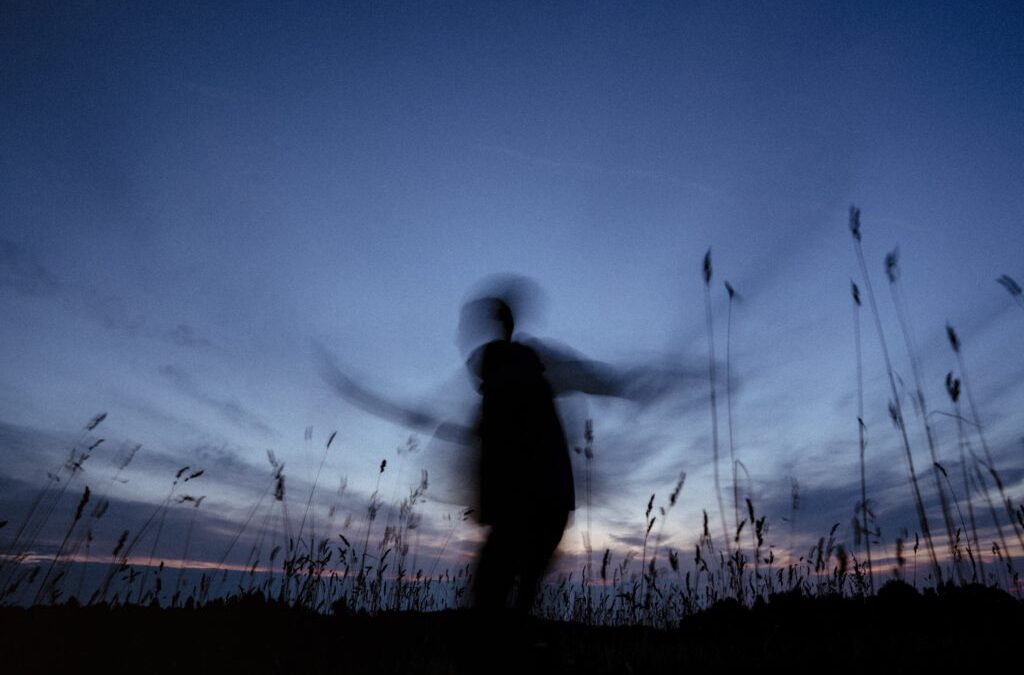
The motion blur background effect is a creative technique that helps photographers convey a sense of movement, speed, or energy within a still image. By intentionally blurring the background while keeping the subject sharp, this approach draws attention to the main subject and adds a dynamic quality to photographs. Whether capturing sports, wildlife, street scenes, or artistic portraits, mastering this visual effect can elevate your work and set your images apart.
Understanding how to achieve a smooth, flowing background while maintaining subject clarity requires a blend of technical knowledge and creative vision. In this guide, you’ll learn the fundamentals of creating background blur with motion, explore practical camera settings, and discover tips for using this effect to enhance your storytelling.
For those seeking more inspiration and practical examples, the motion blur composition examples collection offers a variety of creative uses and setups to explore.
Understanding the Motion Blur Background Technique
At its core, the motion blur background effect is achieved by using a slower shutter speed while tracking a moving subject. This process, known as panning, keeps the subject relatively sharp while the background becomes streaked or blurred, visually separating the subject from its surroundings. The result is an image that feels alive, with a clear sense of direction and speed.
This effect is commonly used in genres such as sports, automotive, wildlife, and even urban photography. It can also be applied in portraiture to create a unique, energetic look. The key is to balance camera movement, subject speed, and exposure settings to achieve the desired level of blur without losing subject definition.
Essential Camera Settings for Creating Background Motion Blur
To successfully produce a blurred background while keeping your subject in focus, you’ll need to adjust several camera settings. Here are the most important factors to consider:
- Shutter Speed: Use a slower shutter speed, typically between 1/15 and 1/125 seconds, depending on the speed of your subject and the amount of blur you want. Faster subjects require faster shutter speeds to avoid excessive blur.
- Aperture: A moderate aperture (such as f/5.6 to f/11) helps maintain enough depth of field to keep your subject sharp while still allowing background blur.
- ISO: Adjust ISO to compensate for the slower shutter speed, but avoid setting it too high to reduce noise in your image.
- Focus Mode: Continuous autofocus (AI Servo or AF-C) is recommended for tracking moving subjects.
Experimenting with these settings will help you find the right combination for your shooting conditions and creative goals. For a more detailed breakdown of recommended settings, the motion blur settings for beginners guide provides step-by-step instructions.

Techniques for Achieving a Dynamic Blurred Background
There are several methods to create a blurred background with motion. The most popular and effective is panning, but other approaches can also produce striking results:
- Panning: Move your camera horizontally (or vertically) to follow a moving subject while using a slow shutter speed. This keeps the subject sharp and blurs the background in the direction of movement.
- Zoom Blur: While exposing the shot, zoom your lens in or out to create radial blur effects. This technique works best with stationary subjects and can add a sense of energy or focus.
- Intentional Camera Movement (ICM): Move the camera in a deliberate way (such as shaking, rotating, or tilting) during a long exposure to create abstract backgrounds.
Each technique offers a unique visual style and can be used to match the mood or story you want to tell. Practice is essential—experiment with different movements and shutter speeds to see what works best for your subject and setting.
Creative Uses of Motion Blur in Backgrounds
Applying a motion blur background effect can transform ordinary scenes into visually compelling images. Here are some creative ways photographers use this approach:
- Sports Photography: Emphasize the speed of athletes or vehicles by keeping them sharp against a streaked background.
- Wildlife and Nature: Capture birds in flight or animals running, highlighting their movement and energy.
- Urban and Street Scenes: Convey the hustle and bustle of city life by blurring pedestrians, cyclists, or traffic.
- Portraits: Add a sense of dynamism to portraits by introducing background motion, making the subject stand out.
For more inspiration and artistic ideas, the motion blur creative inspiration resource showcases how artists incorporate this effect into their work.

Common Challenges and How to Overcome Them
While the motion blur background effect can be visually striking, it also presents some technical challenges. Here are common issues and practical solutions:
- Unwanted Subject Blur: If your subject is not sharp, try increasing your shutter speed slightly or improving your panning technique. Practice following the subject smoothly and steadily.
- Overexposed Images: Shooting with a slow shutter speed in bright conditions can lead to overexposure. Use a smaller aperture, lower ISO, or add a neutral density (ND) filter to reduce light entering the lens.
- Autofocus Struggles: Fast-moving subjects can be difficult to track. Use continuous autofocus and select a single focus point to help your camera lock onto the subject.
- Camera Shake: Use a tripod or monopod for added stability, especially when using longer lenses or very slow shutter speeds.
Reviewing motion blur before and after examples can help you identify common mistakes and see how small adjustments can improve your results.
Post-Processing Tips for Enhancing Motion Blur
While most of the effect should be achieved in-camera, post-processing can help refine and enhance your images. Here are a few editing tips:
- Sharpen the Subject: Use selective sharpening tools to make your subject stand out even more against the blurred background.
- Adjust Contrast and Colors: Boosting contrast and vibrancy can make the motion effect more pronounced and visually appealing.
- Remove Distractions: Clone out unwanted elements or distractions in the background to keep the viewer’s focus on your subject.
- Add or Refine Blur: In some cases, you can enhance the blur using radial or directional blur filters in editing software, but use this sparingly to maintain a natural look.
For a comprehensive tutorial on this topic, the motion blur photography tutorial provides step-by-step guidance and visual examples.
Best Subjects and Scenes for Background Motion Blur
Not every scene is suited for this technique. The most effective use cases involve:
- Moving Subjects: Runners, cyclists, cars, trains, animals, or even dancers make excellent subjects for this effect.
- Colorful or Textured Backgrounds: Environments with lights, patterns, or vibrant colors create more interesting blur trails.
- Contrasting Elements: Subjects that stand out from the background (in color, brightness, or shape) will be more visually striking when isolated by blur.
Experiment with different locations and times of day. Early morning or late afternoon light often produces the best results, as the softer light helps avoid harsh highlights and shadows.
Frequently Asked Questions
What is the ideal shutter speed for creating a blurred background with motion?
The optimal shutter speed depends on your subject’s speed and the desired amount of blur. For most situations, a range between 1/15 and 1/125 seconds works well. Faster-moving subjects may require a quicker shutter speed to keep them sharp, while slower subjects allow for longer exposures.
Can I achieve this effect with a smartphone camera?
Some smartphones offer manual controls or dedicated motion blur modes. While results may not match those from a DSLR or mirrorless camera, you can experiment with apps that allow manual shutter speed adjustments or simulate the effect in post-processing.
How do I keep my subject sharp while blurring the background?
The key is to match your camera movement to the speed and direction of your subject. Practice panning smoothly and use continuous autofocus to help your camera track the subject. Take multiple shots to increase your chances of capturing a sharp subject with a blurred background.
Is it possible to add motion blur to the background in editing software?
Yes, editing tools like Photoshop offer blur filters that can simulate this effect. However, in-camera techniques generally produce more natural and convincing results. Use software enhancements sparingly and only to refine the effect.
Conclusion
Mastering the motion blur background effect opens up new creative possibilities for photographers. By understanding the technical aspects, practicing your technique, and experimenting with different subjects and settings, you can create images that capture the energy and movement of the world around you. Explore more advanced approaches in the motion blur cinematic photography guide to further refine your skills and develop your unique style.