
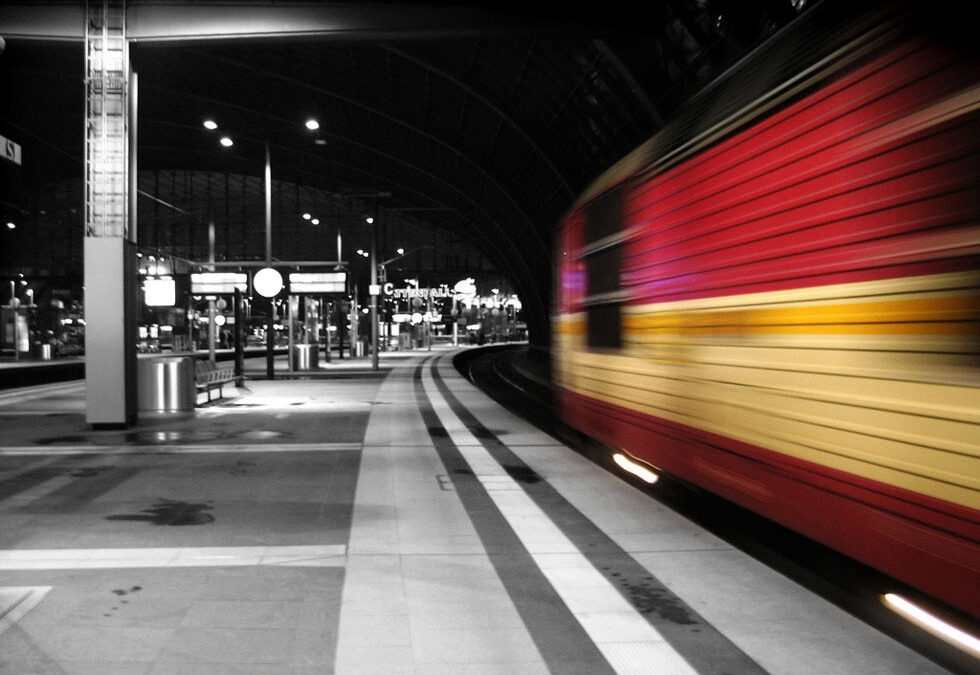
Understanding how motion blur works is essential for photographers, videographers, and digital artists who want to control the look and feel of their images. The exposure triangle—comprising shutter speed, aperture, and ISO—plays a critical role in determining the presence and quality of motion blur in any visual medium. This motion blur exposure triangle guide will break down the relationship between these three settings and how they affect the depiction of movement, helping you achieve your creative goals with confidence.
Whether you’re capturing the dynamic flow of a city street, freezing a fast-moving athlete, or simulating realistic motion in digital renders, mastering the interplay between exposure settings is key. For those interested in the scientific side of how our eyes perceive movement, you might also enjoy exploring the motion blur and human vision connection.
What Is Motion Blur and Why Does It Matter?
Motion blur refers to the streaking or softening of moving subjects in a photo or video, caused by the relative movement between the camera and the subject during exposure. It can be intentional, adding a sense of speed and dynamism, or unintentional, resulting in unwanted softness. In digital graphics and gaming, motion blur is often simulated to mimic real-world camera effects and enhance realism.
The amount and style of motion blur are directly influenced by how you balance the three elements of the exposure triangle. Each setting—shutter speed, aperture, and ISO—impacts the light entering the camera and, consequently, the way movement is rendered.
Breaking Down the Exposure Triangle
The exposure triangle is a foundational concept in photography and imaging. Let’s look at each component and its effect on motion blur:
- Shutter Speed: The most significant factor for motion blur. A slower shutter speed allows more time for movement to register on the sensor, resulting in more pronounced blur. Conversely, a fast shutter speed freezes motion.
- Aperture: While primarily controlling depth of field, aperture also affects exposure. A wider aperture (lower f-number) lets in more light, allowing for faster shutter speeds in low light, which can reduce blur.
- ISO: ISO determines the sensor’s sensitivity to light. Increasing ISO enables faster shutter speeds in dim conditions but can introduce noise.
How Shutter Speed Influences Motion Effects
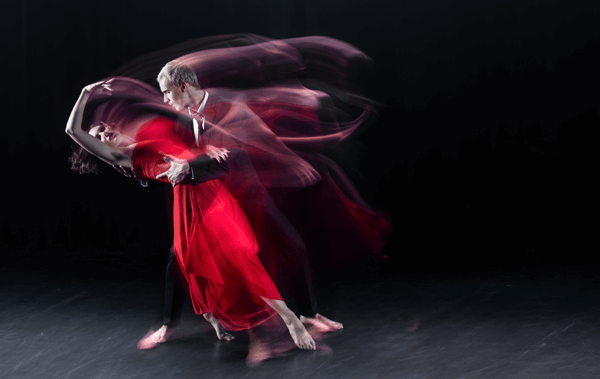
Of all the elements in the motion blur exposure triangle guide, shutter speed has the most direct impact on how movement appears. Here’s how it works:
- Slow Shutter Speeds (e.g., 1/15s, 1/8s): These settings capture more of a subject’s movement, creating visible trails or streaks. This is ideal for creative effects like light painting, flowing water, or conveying a sense of speed.
- Fast Shutter Speeds (e.g., 1/500s, 1/1000s): These settings freeze action, resulting in crisp, sharp images with little to no blur. This is useful for sports, wildlife, or any fast-moving subject.
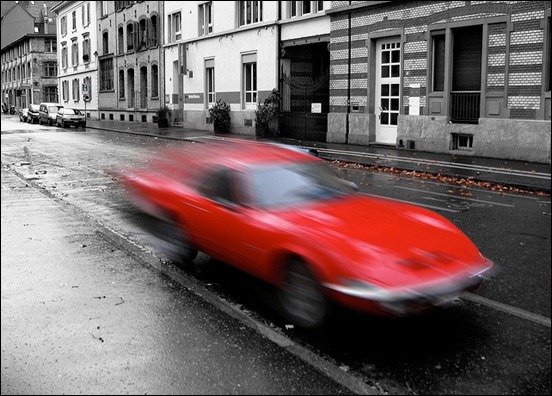
The choice of shutter speed depends on your artistic intent. For example, to emphasize motion in a racing car, a slower shutter speed can create dramatic streaks, while a faster speed will capture the car in sharp detail.
Balancing Aperture and ISO for Creative Control
While shutter speed is the main driver of motion blur, aperture and ISO play supporting roles in the exposure triangle. Adjusting these settings lets you maintain proper exposure while achieving your desired blur effect.
- Wider Aperture (Lower f-number): Lets in more light, enabling faster shutter speeds in low-light conditions. This is helpful when you want to minimize blur but still need a well-exposed image.
- Narrower Aperture (Higher f-number): Reduces light, requiring slower shutter speeds or higher ISO. This can increase blur if you’re not careful, but also increases depth of field.
- Higher ISO: Boosts sensor sensitivity, allowing for faster shutter speeds in darker environments. However, this can introduce digital noise, especially in older or entry-level cameras.
The key is to find a balance that suits your creative vision and the technical limitations of your equipment. For more on how motion blur is used in visual effects, check out this in-depth look at motion blur in visuals.
Practical Tips for Managing Motion Blur
Here are some actionable tips for controlling movement effects using the exposure triangle:
- Use a Tripod: Stabilizing your camera is essential when using slow shutter speeds to avoid unwanted camera shake.
- Experiment with Panning: Move your camera along with a moving subject while using a slower shutter speed. This keeps the subject sharp while blurring the background, emphasizing speed.
- Adjust ISO and Aperture: If you need to use a specific shutter speed for creative reasons, compensate with ISO and aperture to maintain correct exposure.
- Review and Adjust: Always check your images on the camera’s display and tweak your settings as needed to achieve the desired effect.
Applications Beyond Photography
The concepts in this motion blur exposure triangle guide extend beyond traditional photography. In digital art, 3D rendering, and gaming, simulating realistic movement often involves mimicking the effects of camera settings. For example, adjusting virtual shutter speed and aperture in rendering engines can create convincing motion trails and add a sense of realism to animations.
If you’re interested in how these effects are implemented in digital environments, you may want to read about motion blur in 3D rendering or explore motion blur settings in video games for more technical insights.
Common Challenges and How to Overcome Them
Achieving the right amount of motion blur can be tricky, especially in changing light or when working with unpredictable subjects. Here are some common issues and solutions:
- Too Much Blur: Increase shutter speed or stabilize your camera. Consider raising ISO or opening the aperture to maintain exposure.
- Not Enough Blur: Slow down your shutter speed. Use a neutral density filter in bright conditions to avoid overexposure.
- Excessive Noise: If raising ISO introduces noise, try to open the aperture further or add more light to the scene.
Remember, the best results often come from experimentation and understanding the interplay between all three exposure settings.
FAQ: Motion Blur and the Exposure Triangle
How does shutter speed affect motion blur?
Shutter speed determines how long the camera sensor is exposed to light. A slower shutter speed allows more movement to be recorded, resulting in more pronounced blur. A faster shutter speed freezes motion, minimizing blur.
Can I control motion blur without changing shutter speed?
While shutter speed is the primary control, you can influence the effect by adjusting aperture and ISO to allow for a different shutter speed. In some cases, using filters or changing lighting conditions can help you achieve the desired result without altering shutter speed directly.
Is motion blur always undesirable?
Not at all. Motion blur can be a powerful creative tool, adding energy and a sense of movement to your images. It’s only considered a problem when it detracts from your intended outcome.
How does the exposure triangle apply to digital graphics and gaming?
In digital environments, the principles of the exposure triangle are simulated to create realistic visual effects. Adjusting virtual camera settings like shutter speed and aperture in rendering software or game engines can replicate the look of real-world motion blur.
For more on creative uses of this effect, see our article on the motion blur effect in graphic design.