
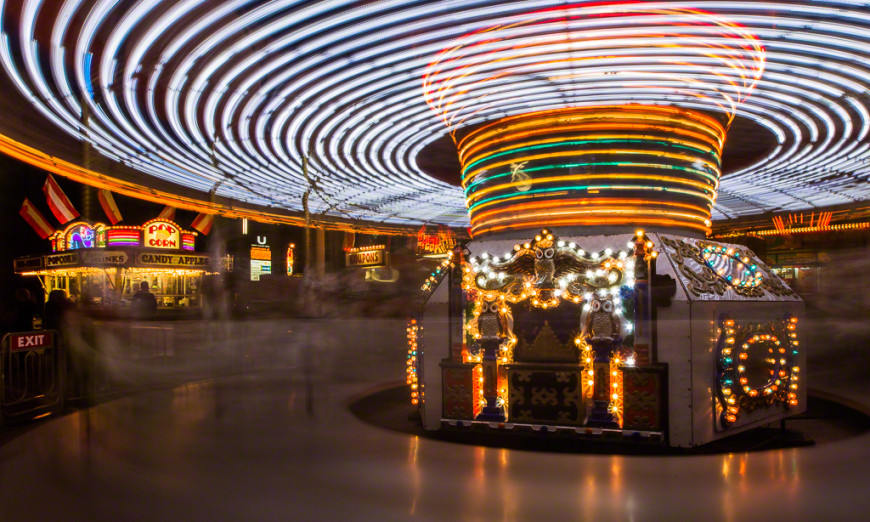
The motion blur 180 degree shutter rule is a foundational concept in both photography and cinematography, shaping how motion is captured and perceived in images and video. By understanding this principle, creators can achieve natural-looking movement, avoid unnatural stutter, and produce visually pleasing results that mimic how the human eye experiences motion. Whether you’re a beginner experimenting with your first camera or an experienced filmmaker refining your technique, mastering this rule is essential for anyone aiming to control motion blur effectively.
This article explains the origins, science, and practical application of the 180 degree shutter rule. You’ll learn how to apply it to your own work, see real-world examples, and discover how it fits into broader creative decisions. For those seeking inspiration and advanced techniques, explore these motion blur composition examples to see the rule in action across different genres.
Understanding Motion Blur and the 180 Degree Shutter Principle
Motion blur refers to the visible streaking or softening of moving subjects in a photo or video frame. It occurs when the subject moves during the exposure, causing its image to blur across the sensor. The amount of blur is determined by the shutter speed: slower speeds create more blur, while faster speeds freeze motion.
The 180 degree shutter rule originated in the film era, where rotary shutters would expose film for half the duration of each frame. In digital cameras, this translates to a simple formula: set your shutter speed to double your frame rate. For example, if you’re shooting at 24 frames per second (fps), your shutter speed should be 1/48 second. This balance produces motion blur that feels natural to the human eye, closely matching our real-world perception of movement.
Why the 180 Degree Shutter Rule Matters
Applying this rule ensures that motion in your footage or photos appears smooth and cinematic. When the shutter speed is too fast, motion can look choppy or staccato, reminiscent of news footage or certain action scenes. Too slow, and the blur becomes excessive, making the image smeary or difficult to follow. The 180 degree guideline provides a sweet spot for most situations, especially in narrative filmmaking and creative photography.
How to Apply the 180 Degree Shutter Rule in Practice
To use the motion blur 180 degree shutter rule effectively, follow these steps:
- Determine your frame rate: Common choices are 24, 25, or 30 fps for video. For stills, consider the effect you want based on subject speed.
- Calculate the ideal shutter speed: Divide 1 by twice your frame rate. For 24 fps, use 1/48 second; for 30 fps, use 1/60 second.
- Set your camera: Most digital cameras offer manual control. If your exact value isn’t available (e.g., 1/48), use the closest option (like 1/50).
- Adjust exposure: If your image is too bright, use a smaller aperture (higher f-number) or add ND filters to maintain the correct shutter speed without overexposing.
- Review your results: Check for natural-looking blur in moving subjects. Fine-tune as needed for your creative intent.
For those just starting out, the motion blur settings for beginners guide offers step-by-step instructions and troubleshooting tips.
Creative Uses and Exceptions to the Rule
While the 180 degree shutter guideline is a strong starting point, creative projects sometimes call for breaking it. Increasing shutter speed (shorter exposure) can produce a crisp, hyper-real effect, often used in action scenes or sports. Slowing it down (longer exposure) can exaggerate blur for dreamlike or artistic results. The key is to understand the visual impact of these choices and use them intentionally.

For more advanced techniques and cinematic inspiration, see the motion blur cinematic photography guide, which explores how professionals use and adapt this rule for storytelling.
Comparing Motion Blur in Photography and Video
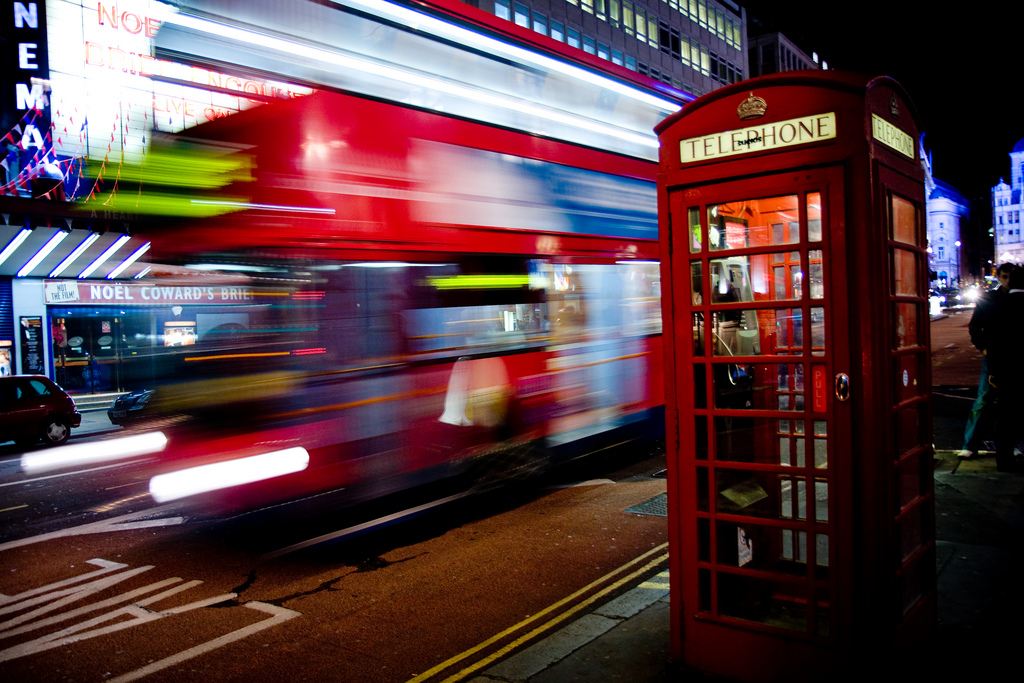
In still photography, motion blur is often used to convey speed, movement, or the passage of time. Photographers may intentionally use slower shutter speeds to blur moving subjects, such as flowing water or passing vehicles. In video, the 180 degree shutter rule is more strictly followed to ensure consistent motion from frame to frame, creating footage that feels natural and immersive.
However, both disciplines benefit from understanding how shutter speed influences the look and feel of motion. Experimenting with different settings can yield unique results, but the 180 degree guideline provides a reliable baseline for most scenarios.
Common Mistakes and How to Avoid Them
- Using too fast a shutter speed: This can make motion appear jittery or unnatural, especially in video. Always check your settings relative to your frame rate.
- Overexposing in bright conditions: When following the rule outdoors, you may need ND filters to prevent blown highlights while keeping the correct shutter speed.
- Ignoring creative intent: The rule is a guideline, not a law. Adjust based on the story or mood you want to convey.
For a deeper look at how different settings affect your images, the motion blur before and after examples guide provides visual comparisons and explanations.
Real-World Examples and Further Learning
Many iconic images and films rely on the 180 degree shutter principle to achieve their signature look. From the smooth motion in classic cinema to the dynamic energy of sports photography, understanding this rule opens up creative possibilities. For additional inspiration, browse motion blur Instagram photography tips to see how contemporary creators use motion blur for social media impact.
If you want to dive deeper into the science and artistry of capturing movement, this comprehensive motion blur photography resource covers techniques, examples, and troubleshooting from a professional perspective.
FAQ
What is the 180 degree shutter rule in simple terms?
It’s a guideline that sets your shutter speed to double your frame rate, ensuring motion blur looks natural. For example, at 24 fps, use a 1/48 second shutter speed.
Can I break the 180 degree shutter rule for creative effect?
Yes. Faster shutter speeds create sharper, more staccato motion, while slower speeds exaggerate blur. Use these variations intentionally to match your creative vision.
How do I maintain correct exposure when using this rule in bright light?
Use a smaller aperture (higher f-stop) or add neutral density (ND) filters to reduce light entering the lens, allowing you to keep the ideal shutter speed without overexposing your image.
Does this rule apply to both photography and video?
While it’s most critical in video for smooth, cinematic motion, photographers also use similar principles to control blur and convey movement in still images.