
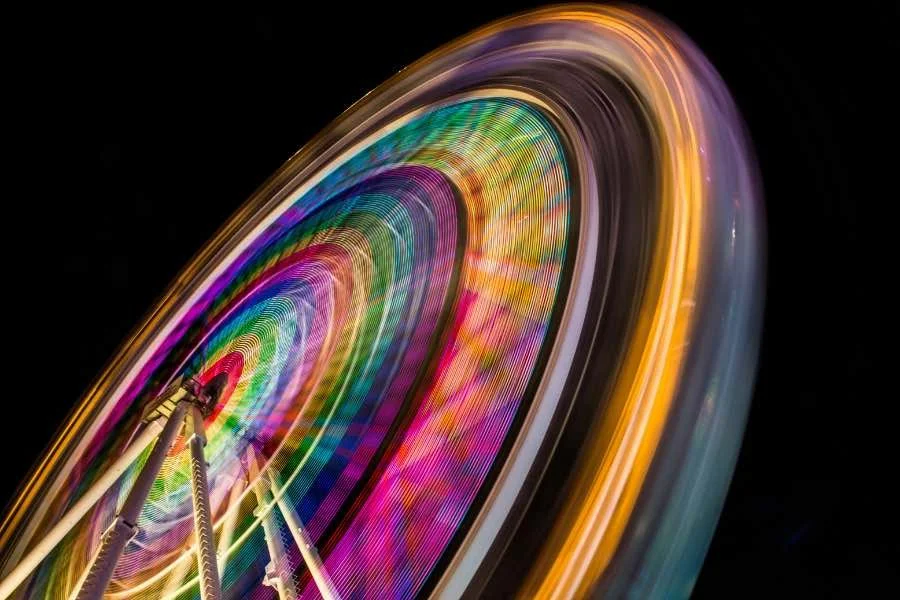
Motion blur advanced techniques are essential for photographers and digital artists aiming to create dynamic, visually compelling images. By mastering these methods, you can transform ordinary scenes into works of art that convey energy, speed, and emotion. Whether you’re shooting fast-moving subjects, experimenting with creative effects, or refining your post-processing skills, understanding the nuances of motion blur can elevate your visual storytelling.
Before diving into the technical details, it’s helpful to explore real-world examples and guides that showcase the creative possibilities of motion blur. For inspiration, you might want to review motion blur composition examples that highlight how different techniques can be used to achieve unique artistic results.
Understanding the Fundamentals of Motion Blur
At its core, motion blur occurs when a moving subject or camera causes streaks or trails in an image. This effect can be intentional or accidental, but with advanced techniques, you can control the outcome for maximum creative impact. The primary factors influencing motion blur include:
- Shutter speed: Slower shutter speeds allow more movement to be captured, resulting in pronounced blur.
- Subject speed: Faster-moving subjects create longer trails.
- Camera movement: Intentional camera movement (ICM) or panning can add artistic effects.
- Lighting conditions: Low light often requires slower shutter speeds, increasing the potential for blur.
By understanding these elements, you can start to experiment with more sophisticated approaches to motion blur in your photography.
Camera Settings for Advanced Motion Blur Effects
To achieve refined motion blur, it’s crucial to move beyond basic settings and embrace more nuanced controls. Here are some advanced camera techniques:
- Manual mode: Use manual mode to precisely control shutter speed, aperture, and ISO. This gives you the flexibility to balance exposure while achieving the desired blur.
- Neutral density (ND) filters: These filters reduce the amount of light entering the lens, allowing for longer exposures even in bright conditions. ND filters are essential for capturing motion blur during the day.
- Remote shutter release: To avoid camera shake, use a remote trigger or the camera’s timer function, especially for exposures longer than 1/10 second.
- Tripod stability: A sturdy tripod is vital for keeping stationary elements sharp while blurring moving subjects.
For those new to these settings, a motion blur settings for beginners guide can provide a helpful starting point before moving on to more complex techniques.

Creative Approaches: Panning, Zoom Burst, and Intentional Camera Movement
Beyond simply slowing your shutter, there are several creative methods for producing striking motion blur effects:
Panning for Dynamic Subject Isolation
Panning involves moving your camera in sync with a moving subject. By matching the speed and direction, you keep the subject relatively sharp while blurring the background. This technique is popular for sports, wildlife, and street photography, as it emphasizes motion and speed.
Zoom Burst for Radial Blur
Zoom burst is achieved by zooming your lens in or out during a long exposure. The result is a dramatic, radial blur that draws the viewer’s eye toward the center of the frame. This method works well with stationary subjects surrounded by movement, such as city lights or crowds.
Intentional Camera Movement (ICM)
ICM is a technique where you deliberately move the camera during exposure to create abstract, painterly effects. Vertical, horizontal, or rotational movements can produce different styles of blur. Experimenting with ICM can lead to unique images that stand out from traditional photography.
Post-Processing for Enhanced Motion Blur
While capturing motion blur in-camera is ideal, advanced editing tools can help refine or even create blur effects in post-production. Some of the most effective post-processing techniques include:
- Photoshop motion blur filter: This tool allows you to add or enhance blur along a specific angle or path, giving you control over the direction and intensity.
- Layer masking: By combining sharp and blurred layers, you can selectively apply motion blur to certain parts of the image, preserving detail where needed.
- Stacking multiple exposures: Merging several shots with varying degrees of blur can produce a composite image with both sharp and blurred elements.
For a comprehensive overview of digital techniques, the Adobe guide to motion blur photography offers step-by-step instructions and creative ideas for both beginners and advanced users.

Specialized Motion Blur Techniques for Cinematic and Artistic Effects
For those seeking to push creative boundaries, there are several specialized approaches worth exploring:
- Multiple exposures: Combine several exposures in-camera or during editing to create ghostly trails or layered motion effects.
- Light painting: Use handheld lights or LED tools to draw patterns or shapes during a long exposure, adding a surreal element to your images.
- Long exposure with moving lights: Capture car trails, fireworks, or city lights to emphasize movement and energy in urban environments.
To further develop your artistic vision, the motion blur cinematic photography guide provides in-depth advice on achieving filmic looks and dramatic compositions.
Common Challenges and How to Overcome Them
Mastering advanced motion blur techniques comes with its own set of challenges. Here are some common issues and solutions:
- Unwanted camera shake: Always use a tripod or stabilizer for longer exposures to keep static elements sharp.
- Overexposure: In bright conditions, use ND filters or lower your ISO to prevent blown highlights during long exposures.
- Focus accuracy: Pre-focus on your subject or use manual focus to ensure sharpness where needed, especially when panning or using ICM.
- Balancing sharpness and blur: Experiment with different shutter speeds and movement techniques to find the right balance for your creative vision.
Reviewing motion blur before and after examples can help you understand how subtle adjustments can dramatically change the final image.
Tips for Experimenting with Motion Blur in Everyday Photography
Incorporating motion blur into your regular shooting routine can lead to unexpected and exciting results. Here are some practical tips:
- Start with moving water, traffic, or crowds to practice capturing motion in familiar settings.
- Use burst mode to capture multiple frames and select the best combination of sharpness and blur.
- Experiment with smartphone cameras, many of which now offer manual controls and long exposure modes.
- Analyze your images to identify what works and where improvements can be made.
For more creative ideas, the motion blur creative inspiration resource offers a variety of approaches for artists and photographers looking to expand their repertoire.
FAQ
What is the best shutter speed for capturing motion blur?
The ideal shutter speed depends on the speed of your subject and the desired effect. For subtle blur, try 1/30 to 1/60 second. For pronounced trails, use slower speeds such as 1/10 second or longer. Experimentation is key to finding the right balance.
Can motion blur be achieved with smartphone cameras?
Yes, many modern smartphones offer manual controls or dedicated long exposure modes. With the right apps or built-in features, you can experiment with advanced motion blur techniques even without a DSLR or mirrorless camera.
How can I avoid unwanted blur in my images?
To prevent unwanted blur, use a tripod, remote shutter release, and appropriate shutter speeds. Focus carefully on your subject, and consider using image stabilization features if available. Practice and review your results to refine your technique.