
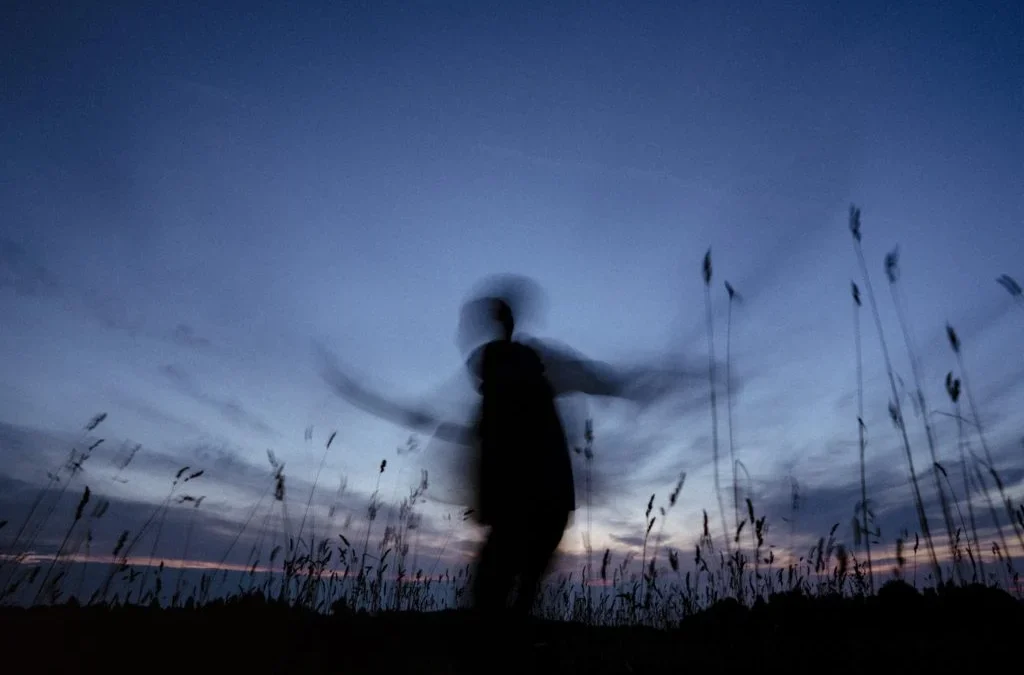
Capturing motion blur in macro photography can transform ordinary close-up shots into dynamic, expressive images. When photographing tiny subjects, even the slightest movement—whether from the subject, the camera, or the environment—can introduce blur. Rather than viewing this as a flaw, many photographers use it creatively to convey energy, life, and a sense of fleeting moments. This guide explores practical techniques, camera settings, and artistic approaches to help you master motion blur for your macro work.
If you’re interested in seeing how different compositions can inspire your own work, check out these motion blur composition examples for additional ideas and visual references.
Understanding Motion Blur in Close-Up Photography
In macro photography, motion blur occurs when there is movement during the exposure. This movement can come from the subject (like an insect’s wings), the camera (from hand shake), or even the environment (such as wind moving a flower). While sharpness is often the goal in close-up shots, intentional blur can add a sense of movement and emotion that static images lack.
The key is to control and predict how motion will appear in your frame. By adjusting your camera settings and stabilizing your setup, you can choose when and how to introduce blur for creative effect.
Essential Camera Settings for Capturing Motion
The most important factor in creating motion blur in macro photography is shutter speed. A slower shutter speed allows more movement to be recorded, resulting in visible streaks or softness. Here’s how to fine-tune your camera for the best results:
- Shutter Speed: Start with 1/30s to 1/4s for subtle blur. For more pronounced effects, experiment with even slower speeds. Use a tripod to avoid unwanted camera shake.
- Aperture: A smaller aperture (higher f-number) increases depth of field, keeping more of your subject in focus even as parts blur. However, a wider aperture (lower f-number) can help isolate your subject against a soft background.
- ISO: Keep ISO as low as possible to minimize noise, especially since longer exposures can amplify grain.
- Stabilization: Use a tripod or macro focusing rail to stabilize your camera. Even slight vibrations are magnified at high magnification.
Creative Techniques for Artistic Blur Effects
Once you understand the technical basics, you can use motion blur to enhance your macro images artistically. Here are some creative approaches:
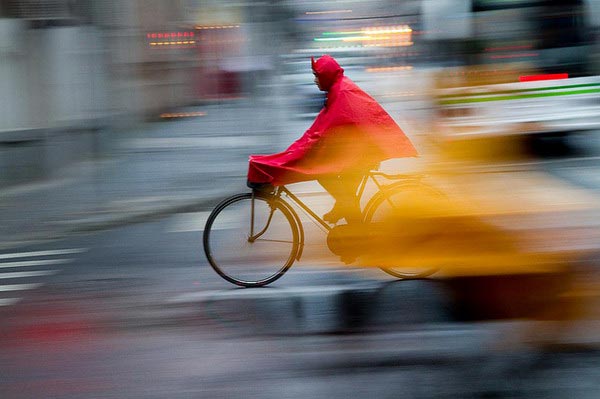
- Panning: Move your camera in sync with a moving subject (like a bee in flight) to keep the subject sharp while blurring the background.
- Subject Movement: Let your subject move naturally—such as a flower swaying in the breeze—and use a slow shutter to capture the motion trails.
- Intentional Camera Movement (ICM): Deliberately move your camera during the exposure for abstract effects. This works well with colorful backgrounds or repetitive patterns.
- Combining Flash and Ambient Light: Use rear curtain sync flash to freeze part of the subject at the end of the exposure, blending sharpness with blur.
For more inspiration on how to use these techniques in different genres, the motion blur cinematic photography guide offers additional creative ideas.
Common Challenges and How to Overcome Them
Working with motion blur in macro photography presents unique challenges. Here are some common issues and practical solutions:
- Unwanted Camera Shake: Use a remote shutter release or your camera’s timer to minimize vibrations. Mirror lock-up can also help with DSLR cameras.
- Excessive Blur: If your entire image is too soft, increase your shutter speed slightly or stabilize your setup further.
- Lighting Issues: Shooting with slow shutter speeds reduces available light. Use reflectors, LED panels, or flashes to brighten your scene without increasing ISO.
- Focusing Difficulties: Manual focus is often more reliable in macro work, especially when dealing with moving subjects.
Post-Processing Tips for Enhancing Motion Blur
Editing can help emphasize or refine the blur effects you capture in-camera. Here are some post-processing tips:
- Selective Sharpening: Use masking tools to sharpen only the areas you want to keep crisp, leaving the blurred regions soft.
- Contrast and Color: Boosting contrast and saturation can make motion trails stand out, especially in colorful macro subjects.
- Cloning and Healing: Remove distracting elements that may have crept into the frame during a long exposure.
- Blending Exposures: Combine sharp and blurred images for a balanced look using layer masks in Photoshop or similar software.

Learning from Examples and Further Resources
Studying real-world examples is one of the best ways to understand how motion blur can enhance macro images. You can find a variety of motion blur before and after examples to see the difference this technique makes. For those looking to experiment, try different subjects such as insects, water droplets, or flowers in motion.
For a deeper dive into the technical and creative aspects of this effect, the comprehensive motion blur tutorial covers advanced tips and troubleshooting advice.
Frequently Asked Questions
What is the best shutter speed for capturing motion blur in macro photography?
The ideal shutter speed depends on your subject and the amount of blur you want. Generally, speeds between 1/30s and 1/4s work well for subtle effects, while slower speeds create more dramatic trails. Always test different settings to find the balance between sharpness and blur that suits your vision.
How can I prevent unwanted blur while still capturing motion?
Stabilize your camera with a tripod and use a remote shutter release to minimize shake. Consider using rear curtain sync flash to freeze part of your subject while allowing motion trails to form. Manual focus and careful planning of your composition also help maintain control over the final image.
Can motion blur be added in post-processing?
Yes, software like Photoshop allows you to add blur effects after shooting. However, in-camera blur often looks more natural and dynamic. Combining both approaches can yield creative results, but capturing real movement during the exposure usually produces the most authentic effect.
Conclusion
Mastering motion blur in macro photography opens up new creative possibilities, allowing you to capture the energy and life of your subjects in unique ways. By understanding the technical foundations, experimenting with camera settings, and embracing both planned and spontaneous movement, you can create images that stand out. Whether you’re documenting the flutter of an insect’s wings or the gentle sway of a flower, motion blur can add depth and emotion to your macro portfolio.
For further creative ideas, explore the motion blur creative inspiration guide and continue experimenting with different techniques to develop your own style.