
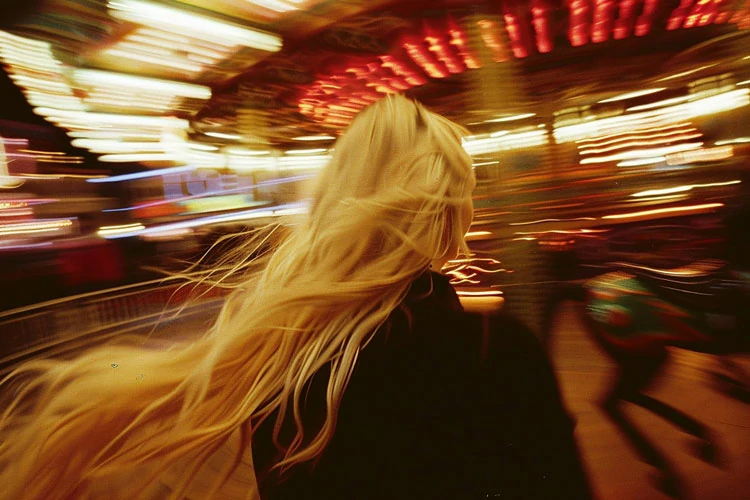
Capturing dynamic movement in photography requires more than just a steady hand and a creative eye. The lens you select plays a crucial role in how motion blur appears in your images, influencing both the technical and artistic outcome. This motion blur lens choice guide is designed to help photographers—whether beginners or seasoned professionals—understand how different lenses impact motion effects and how to make informed decisions for the sharpest, most visually compelling results.
Understanding the relationship between lens characteristics and motion blur is essential for anyone looking to master this technique. From focal length and aperture to image stabilization and specialty optics, each factor can dramatically alter the look and feel of your photos. Before diving into the technical details, you might also find inspiration in these motion blur composition examples that showcase creative approaches to movement in photography.
Understanding Motion Blur in Photography
Motion blur occurs when a moving subject or camera movement is captured with a slow shutter speed, resulting in streaks or trails that convey a sense of motion. The effect can be subtle or dramatic, depending on how you balance exposure settings and lens properties. While shutter speed is the primary control, your lens choice significantly affects how motion is rendered and how much creative control you have over the final image.
For a deeper dive into the basics, beginners may benefit from the motion blur settings for beginners guide, which covers foundational camera settings and techniques.
Key Lens Features That Influence Motion Blur
Choosing the right lens for motion blur involves understanding several important features. Here are the most critical factors to consider:
- Focal Length: Wide-angle lenses (e.g., 16–35mm) exaggerate movement across the frame, while telephoto lenses (e.g., 70–200mm) compress space and can make background blur more pronounced.
- Aperture: Lenses with wide maximum apertures (such as f/1.4 or f/2.8) allow more light, enabling slower shutter speeds in low-light conditions without excessive ISO.
- Image Stabilization (IS/VR/OSS): Built-in stabilization helps reduce camera shake, allowing you to use slower shutter speeds for handheld shots while maintaining sharpness in static areas.
- Autofocus Speed: Fast and accurate autofocus is essential for tracking moving subjects, especially in sports or wildlife photography.
- Optical Quality: High-quality glass and coatings minimize aberrations and ghosting, which can be exaggerated by motion blur effects.
Best Lens Types for Motion Blur Effects
Different genres and creative goals call for different lens types. Here’s how various lenses perform when capturing movement:
Wide-Angle Lenses for Expansive Motion
Wide-angle lenses are ideal for scenes where you want to emphasize movement across the frame, such as city streets, landscapes, or crowds. Their broad field of view exaggerates the sense of speed and direction, making them a favorite for light trails and sweeping action shots.

Telephoto Lenses for Isolated Motion
Telephoto lenses are excellent for isolating subjects and compressing backgrounds, which can create a more abstract or painterly motion blur effect. These lenses are commonly used in sports, wildlife, and portrait photography where you want to focus on a single moving subject while blurring the background.
Keep in mind that longer focal lengths amplify camera shake, so using a tripod or image stabilization is highly recommended for sharp results.
Prime vs. Zoom Lenses: Which Is Better?
Prime lenses offer wider apertures and superior optical quality, making them a solid choice for low-light and creative motion blur photography. Zoom lenses, on the other hand, provide flexibility in framing and composition, which is useful when you need to react quickly to changing scenes.
Ultimately, the best choice depends on your shooting style and the specific effect you want to achieve. For more cinematic approaches, explore the motion blur cinematic photography guide for tips on lens selection and storytelling with movement.
How Lens Choice Affects Motion Blur Results
Let’s break down how different lens characteristics impact the look of motion blur in your images:
| Lens Feature | Impact on Motion Blur | Recommended Use |
|---|---|---|
| Wide-Angle | Enhances sense of speed and direction; exaggerates movement | Light trails, street scenes, landscapes |
| Telephoto | Compresses background; isolates subject motion | Sports, wildlife, creative portraits |
| Fast Aperture | Allows slower shutter speeds in low light; more background blur | Night photography, indoor action |
| Image Stabilization | Reduces camera shake; sharper static elements | Handheld shots, panning techniques |
Tips for Choosing the Right Lens for Motion Blur
- Match Lens to Subject: Consider the type of movement you want to capture—wide-angle for sweeping motion, telephoto for isolated action.
- Prioritize Aperture: A lens with a wide maximum aperture gives you more control over exposure and depth of field.
- Look for Stabilization: If you shoot handheld, image stabilization can make a significant difference in sharpness.
- Test Before You Buy: If possible, rent or borrow lenses to see how they perform in real-world conditions.
- Consider Specialty Lenses: Tilt-shift or fisheye lenses can add unique creative effects to motion blur photography.
Creative Applications and Inspiration
Once you’ve selected the right lens, experiment with different techniques to create compelling motion blur images. Try panning with your subject, using intentional camera movement, or combining slow shutter speeds with flash for dramatic effects. For more creative ideas, check out motion blur creative inspiration to see how artists push the boundaries of movement in photography.

Common Mistakes to Avoid
- Overlooking Lens Compatibility: Ensure the lens you choose is compatible with your camera body and sensor size.
- Ignoring Light Conditions: Not all lenses perform well in low light; consider aperture and stabilization features.
- Neglecting Subject Distance: The distance between you and your subject affects how motion blur appears; adjust your lens choice accordingly.
- Forgetting About Filters: Neutral density filters can help you achieve longer exposures in bright conditions, expanding your creative options.
Additional Resources
If you want to see real-world transformations, the motion blur before and after examples guide provides side-by-side comparisons that highlight the impact of lens selection and technique. For a broader overview of the artistic and technical aspects, Adobe’s motion blur photography resource offers expert insights and inspiration from professionals worldwide.
Frequently Asked Questions
What is the best focal length for capturing motion blur?
The ideal focal length depends on your subject and creative intent. Wide-angle lenses (16–35mm) are great for emphasizing movement across the frame, while telephoto lenses (70mm and above) are better for isolating moving subjects and compressing backgrounds. Experiment with different focal lengths to see which effect best suits your vision.
Does image stabilization help with motion blur photography?
Yes, image stabilization is beneficial when shooting handheld at slower shutter speeds. It helps reduce camera shake, resulting in sharper static elements within your frame. However, it won’t prevent blur caused by subject movement, so it’s most effective when you want to keep certain parts of the image sharp while allowing motion in others.
Can I use kit lenses for motion blur effects?
Kit lenses can be used for motion blur, especially if you’re just starting out. While they may not offer the widest apertures or the best optical quality, you can still achieve creative results by adjusting your shutter speed and practicing technique. As you gain experience, you may want to invest in lenses with faster apertures and better stabilization for greater flexibility.