
Exploring motion blur self portrait ideas can open up a world of creative expression for photographers and content creators. By intentionally incorporating blur, you can convey movement, emotion, and atmosphere in ways that sharp, static images cannot. Whether you’re working with a DSLR, mirrorless camera, or even a smartphone, experimenting with these techniques can help you develop a unique visual style and stand out in a crowded digital landscape.
Before diving into specific concepts, it’s helpful to understand the basics of motion blur and how it can be used to add depth and intrigue to your self-portraits. If you’re new to the technical side, you might want to check out the motion blur settings for beginners guide for practical tips on camera settings and setup.
Understanding Motion Blur in Self Portraiture
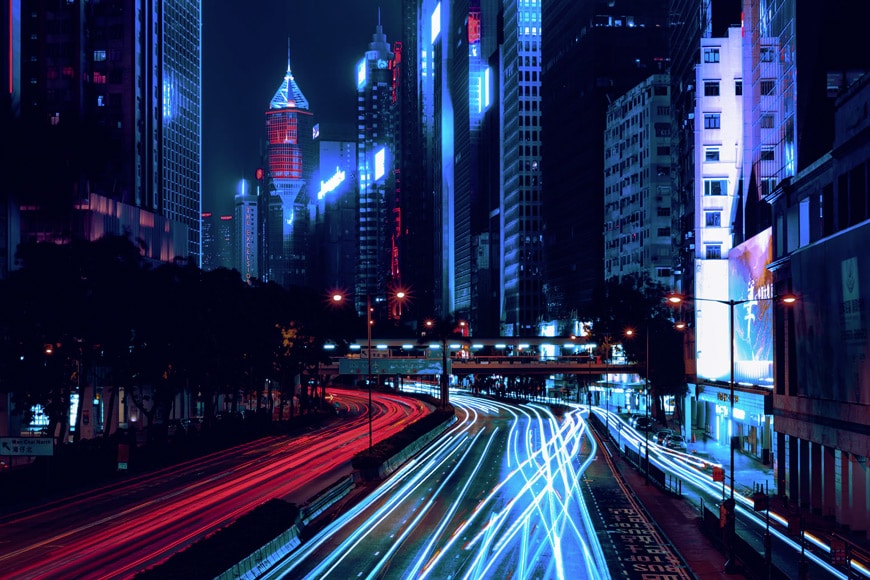
Motion blur occurs when there is movement within the frame during a longer exposure. In self-portraits, this can be achieved by moving yourself, the camera, or both. The result is a dynamic image that suggests action, fleeting emotion, or even a sense of mystery. Creators often use this effect to break away from traditional portraiture and to tell a more compelling story through their images.
For those seeking inspiration, browsing through motion blur composition examples can provide valuable ideas on how to compose your shots and experiment with different techniques.
Creative Approaches to Motion Blur Self Portraits
There are many ways to incorporate blur into your self-portraits, each offering a distinct mood and visual impact. Below are several approaches to spark your creativity:
- Slow Shutter Movement: Set your camera to a slow shutter speed (such as 1/10s or slower) and move your head, hands, or body during the exposure. This creates ghostly trails and a sense of motion.
- Intentional Camera Movement (ICM): Instead of moving yourself, try moving the camera while the shutter is open. This can produce abstract, painterly effects that transform a simple self-portrait into a work of art.
- Layered Blurs: Use multiple exposures or blend several images in post-processing to combine sharp and blurred versions of yourself, adding complexity and depth.
- Props and Fabrics: Incorporate scarves, veils, or other flowing materials that move during the exposure, creating interesting patterns and textures around your figure.
- Light Painting: Use a small light source (like a phone or flashlight) to draw shapes or outlines around yourself while the shutter is open, adding an ethereal glow to your portrait.

Technical Tips for Capturing Dynamic Self Portraits
Getting the right amount of blur while keeping your image visually appealing can be challenging. Here are some practical tips to help you master the technique:
- Use a Tripod: Stabilize your camera to keep the background sharp while allowing only your movement to blur.
- Remote Shutter or Timer: Use your camera’s timer or a remote trigger to start the exposure, giving you time to get into position.
- Experiment with Shutter Speed: Try different shutter speeds to see how much movement is needed for the effect you want. Shorter exposures create subtle blur, while longer ones can make you almost disappear.
- Control Lighting: Lower light levels make it easier to use slow shutter speeds without overexposing the image. Shooting at dusk or indoors with controlled lighting can help.
- Manual Focus: Pre-focus on the spot where you’ll be standing to ensure that at least part of your image remains sharp.
For more advanced techniques and creative inspiration, you might enjoy the motion blur cinematic photography guide, which explores how to use blur for dramatic, film-like effects.
Inspiration: Artistic Examples of Blurred Self Portraits
Looking at the work of other creators can help you discover new directions for your own photography. Many artists use motion blur to express emotion, depict time, or create surreal, dreamlike images. Some blend sharp and blurred elements, while others embrace full abstraction.
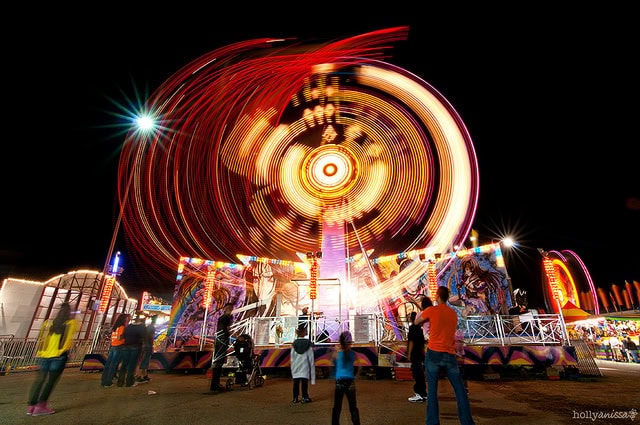
If you’re interested in seeing how these concepts play out in real projects, the motion blur creative inspiration collection showcases a variety of approaches from different artists.
Editing and Post-Processing for Motion Blur Portraits
While much of the magic happens in-camera, editing can enhance your images and help you achieve the desired mood. Here are some editing tips for creators working with blurred self-portraits:
- Enhance Contrast: Boosting contrast can help separate blurred and sharp areas, making the motion effect more pronounced.
- Selective Sharpening: Use masking tools to sharpen specific parts of your image, such as your eyes or hands, while leaving the rest soft.
- Color Grading: Experiment with color tones to evoke emotion or create a cohesive look across a series of portraits.
- Layering and Blending: Combine multiple exposures or blend blurred and sharp images for more complex results.
For a deeper dive into before-and-after transformations, the motion blur before and after examples guide offers practical insights into how editing can elevate your work.
Common Challenges and How to Overcome Them
Working with motion blur can present some unique challenges. Here are a few common issues and solutions:
- Unwanted Camera Shake: Always use a tripod or stable surface to avoid blurring the entire image unintentionally.
- Overexposure: If your images are too bright, lower your ISO, use a smaller aperture (higher f-number), or add a neutral density filter to reduce light entering the lens.
- Focus Issues: Pre-focus on your position and use manual focus to prevent the camera from hunting for focus during the exposure.
- Inconsistent Results: Take multiple shots and experiment with timing, movement, and camera settings to find what works best for your creative vision.
Further Exploration and Resources
Exploring different styles and techniques can help you refine your approach. For a curated look at exceptional images, browse this gallery of beautiful motion blur photos for additional inspiration and ideas.
Remember, the key to effective motion blur portraits is experimentation. Don’t be afraid to try new things, make mistakes, and learn from each session. Over time, you’ll develop a personal style that reflects your unique perspective as a creator.
Frequently Asked Questions
What camera settings work best for motion blur self-portraits?
Start with a slow shutter speed, such as 1/10s to several seconds, depending on the amount of blur you want. Use a tripod to keep the camera steady, and adjust ISO and aperture to prevent overexposure. Manual focus is recommended to ensure sharpness where needed.
Can I create motion blur self-portraits with a smartphone?
Yes, many smartphones offer manual or “pro” modes that allow you to control shutter speed. Use a tripod or stable surface, and experiment with slow shutter apps if your phone’s native camera app doesn’t support long exposures.
How can I make my blurred self-portraits more creative?
Try incorporating props, experimenting with different types of movement, or combining multiple exposures. Editing techniques like selective sharpening and color grading can also add a unique touch to your images.