
Motion blur storytelling in photography is a powerful technique that allows photographers to convey movement, emotion, and narrative within a single frame. By intentionally introducing blur, you can transform ordinary scenes into dynamic visual stories, capturing the essence of motion and the passage of time. Whether you’re photographing bustling city streets, flowing water, or energetic sports, mastering this approach can elevate your images and engage viewers on a deeper level.
In this guide, we’ll explore how to use motion blur creatively, discuss essential camera settings, and provide practical tips for telling compelling stories through your images. For those seeking further inspiration, you can also browse motion blur composition examples to see how other photographers use this technique in their work.
Understanding the Power of Motion Blur in Visual Narratives
Motion blur is more than just a technical effect—it’s a storytelling tool. By capturing movement within a still image, you can evoke feelings of energy, chaos, serenity, or even nostalgia. The blurred elements guide the viewer’s eye, create a sense of direction, and often highlight the contrast between stillness and action. In genres like street, sports, and landscape photography, this technique helps to freeze a moment while simultaneously suggesting what happened before or after the shutter was pressed.
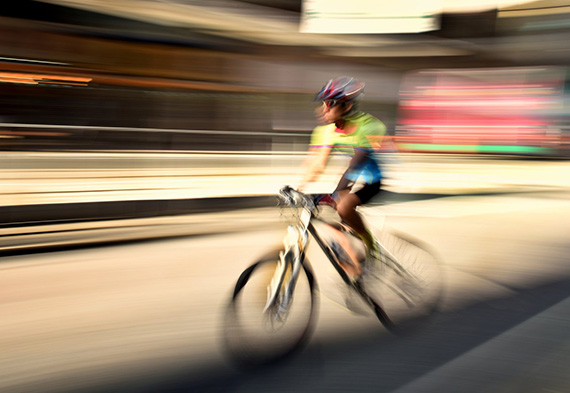
For example, a blurred cyclist against a sharp city background can symbolize the rush of urban life, while flowing water rendered as silky streaks can convey tranquility and the relentless passage of time. The key is to use blur intentionally, ensuring it supports the story you want to tell rather than distracting from it.

Essential Camera Settings for Capturing Movement
To achieve effective motion blur storytelling in photography, understanding your camera’s settings is crucial. The primary factor influencing blur is shutter speed. A slower shutter speed allows moving subjects to blur across the frame, while faster speeds freeze action. Here’s how to get started:
- Shutter Speed: Experiment with speeds between 1/15 and 1/2 second for moderate blur. For more pronounced effects, try even slower speeds, but use a tripod to avoid unwanted camera shake.
- Aperture: Adjust your aperture to control exposure. A smaller aperture (higher f-number) lets you use slower shutter speeds in brighter conditions.
- ISO: Keep ISO as low as possible to reduce noise, especially during long exposures.
- Stabilization: Use a tripod or image stabilization to keep static elements sharp while allowing moving subjects to blur.
If you’re new to these concepts, the motion blur settings for beginners guide offers a step-by-step walkthrough to help you get started with the right camera adjustments.
Creative Techniques for Telling Stories with Motion
There are several ways to use motion blur to enhance your photographic storytelling. Here are some popular techniques:
- Panning: Move your camera along with a moving subject while using a slow shutter speed. This keeps the subject relatively sharp while blurring the background, emphasizing speed and direction.
- Intentional Camera Movement (ICM): Deliberately move your camera during exposure to create abstract or painterly effects. This can add emotion or mystery to your images.
- Layered Motion: Combine static and moving elements in your composition. For example, a still person in a crowd of blurred passersby can highlight isolation or focus attention on your subject.
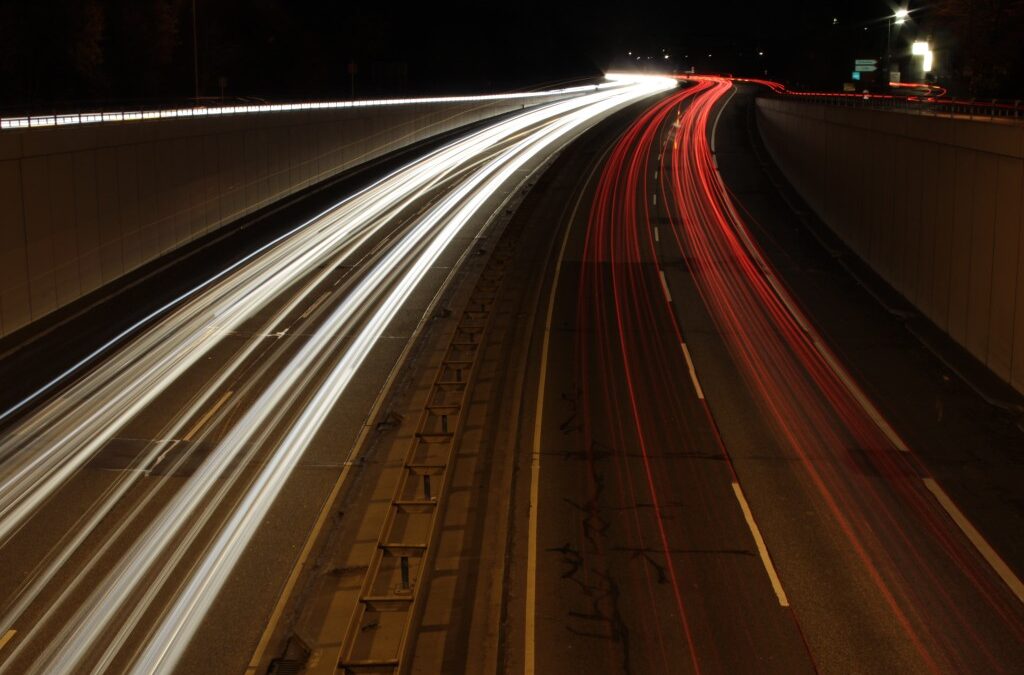
- Light Trails: Capture moving lights at night, such as car headlights or city lights, to create dynamic lines and patterns that guide the viewer’s eye through the frame.
Experimenting with these methods can help you find your unique style and voice as a visual storyteller. For more advanced ideas, explore the motion blur creative inspiration resource for artists.
Common Challenges and How to Overcome Them
While using motion blur can be rewarding, it also presents some challenges. Here are a few common issues and solutions:
- Unwanted Camera Shake: Use a tripod or stabilize your camera against a solid surface. Remote shutters or self-timers can also help reduce vibrations.
- Overexposure: In bright conditions, slow shutter speeds can lead to overexposed images. Try using a neutral density (ND) filter to reduce the amount of light entering the lens.
- Subject Clarity: If your main subject is too blurred, increase your shutter speed slightly or use the panning technique to keep them sharp while blurring the background.
- Focusing Issues: Pre-focus on the area where you expect the action to happen, or use continuous autofocus (AI Servo/AF-C) for moving subjects.
Reviewing motion blur before and after examples can help you understand how small adjustments impact your final image and improve your technique over time.
Editing Tips to Enhance Motion Blur Effects
Post-processing can further refine your motion blur storytelling. Here are a few editing tips:
- Contrast and Clarity: Adjust contrast to make blurred areas stand out against sharp elements. Use clarity selectively to enhance textures.
- Selective Sharpening: Apply sharpening only to static parts of the image to emphasize the difference between motion and stillness.
- Color Grading: Use color adjustments to set the mood—cool tones for calm scenes, warm tones for energy and excitement.
- Adding Blur in Post: If needed, use editing tools to add or enhance blur effects, but keep it subtle for a natural look.
For a deeper dive into cinematic approaches, the motion blur cinematic photography guide covers advanced editing and storytelling techniques for dramatic impact.
Inspirational Examples and Further Learning
Studying the work of other photographers can spark new ideas and help you refine your approach. Look for images that use motion blur to tell a story, and analyze how composition, color, and timing contribute to the narrative. Online galleries, social media, and curated collections are great places to find inspiration.
For practical advice on capturing dynamic scenes, check out this comprehensive tutorial on capturing motion blur in photography. It covers everything from technical setup to creative ideas for a variety of subjects.
Frequently Asked Questions
What shutter speed should I use for motion blur storytelling?
The ideal shutter speed depends on your subject’s speed and the effect you want to achieve. Generally, speeds between 1/15 and 1/2 second work well for moderate blur, but you may need to experiment to find the right balance for your scene.
How do I keep my main subject sharp while blurring the background?
Use the panning technique: track your subject’s movement with your camera while using a slow shutter speed. This keeps the subject relatively sharp and blurs the background, emphasizing motion and direction.
Can I create motion blur effects during editing?
Yes, many photo editing programs allow you to add or enhance blur effects in post-processing. However, capturing authentic motion blur in-camera usually produces more natural and convincing results.
Is motion blur suitable for all types of photography?
While it’s most commonly used in genres like sports, street, and landscape photography, motion blur can be applied creatively in almost any context. The key is to ensure the effect supports your story and doesn’t overwhelm the subject.
Conclusion
Using motion blur storytelling in photography opens up a world of creative possibilities. By mastering the technical aspects and experimenting with different techniques, you can create images that not only capture movement but also evoke emotion and narrative. Remember to plan your shots, practice regularly, and analyze the work of others to continually improve your skills. With patience and creativity, you’ll be able to craft compelling visual stories that stand out in any portfolio.