

Achieving motion blur with gimbal is a technique that can elevate your photography and videography, adding a sense of speed, energy, and artistry to your visuals. By combining the stabilizing power of a gimbal with intentional blur, you can capture dynamic scenes that tell a compelling story—whether you’re shooting urban traffic, sports, or creative portraits. This approach is especially popular among creators who want to blend sharp subjects with fluid backgrounds, resulting in images and videos that stand out.
Before diving into the practical steps, it’s helpful to understand why this method is so effective. Gimbals are designed to counteract unwanted camera shake, allowing you to use slower shutter speeds without sacrificing overall image sharpness. This opens up creative possibilities for introducing controlled blur, especially when you want to highlight movement while keeping your main subject crisp.
For those interested in pushing creative boundaries even further, exploring motion blur experimental photography can provide additional inspiration and techniques.
Understanding Motion Blur Techniques with Gimbals
To master motion blur with gimbal, it’s important to understand the interplay between shutter speed, subject movement, and camera stability. Gimbals help maintain a steady frame, which is crucial when using slower shutter speeds that would otherwise introduce unwanted shake. This stability lets you intentionally blur moving elements—like cars, runners, or flowing water—while keeping the rest of the scene sharp.
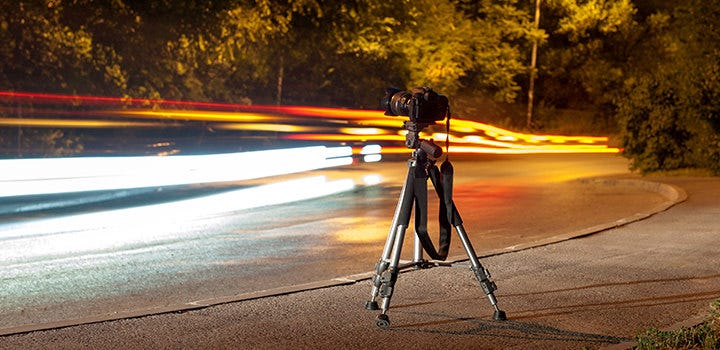
The effect is achieved by setting your camera to a slower shutter speed, typically between 1/10 and 1/60 of a second, depending on the speed of your subject. The gimbal compensates for your hand movements, ensuring that only the moving elements in your frame are blurred, not the entire image.
Essential Equipment for Creating Dynamic Blur
To get started, you’ll need a few key pieces of gear:
- Camera with manual exposure controls
- Gimbal stabilizer compatible with your camera
- ND filter (Neutral Density) for shooting in bright conditions
- Wide or standard lens for flexibility in framing
ND filters are especially useful when you want to use slow shutter speeds during daylight. They reduce the amount of light entering the lens, preventing overexposure while allowing for longer exposures.
Step-by-Step Guide to Capturing Motion Blur with a Gimbal
- Mount your camera on the gimbal and balance it according to the manufacturer’s instructions. Proper balancing is crucial for smooth operation and effective stabilization.
- Set your camera to manual or shutter priority mode. Select a slow shutter speed—start with 1/30s and adjust based on your subject’s speed and the amount of blur you want.
- Adjust ISO and aperture to achieve correct exposure. If it’s too bright, use an ND filter to avoid overexposing your image.
- Frame your shot and focus on your main subject. If you’re tracking a moving subject, use continuous autofocus for best results.
- Start recording or take the shot while smoothly following your subject with the gimbal. The stabilizer will keep the subject sharp, while the slower shutter speed introduces blur to the background or moving elements.
Experiment with different shutter speeds and subject movements to find the balance that works best for your creative vision.
Creative Applications and Inspiration
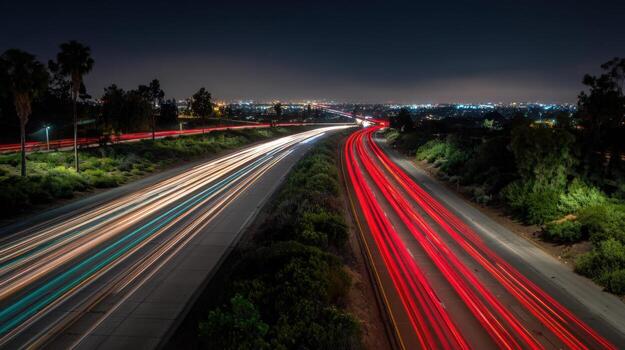
Using a gimbal for controlled blur opens up a range of creative possibilities. Urban scenes with streaking lights, sports photography with dynamic athletes, and even portraiture with subtle background movement all benefit from this approach. For more ideas, check out resources on motion blur creative projects and see how other photographers are using these techniques.
Common Challenges and How to Overcome Them
While the technique is powerful, it comes with its own set of challenges. Here are a few common issues and solutions:
- Overexposed images: If your photos are too bright, use a stronger ND filter or lower your ISO.
- Unwanted camera shake: Double-check your gimbal balance and make sure you’re moving smoothly. Practice panning at a consistent speed.
- Subject blur: If your main subject isn’t sharp, increase your shutter speed slightly or improve your tracking technique.
For more advanced tips and troubleshooting, you might find value in reading about motion blur outdoor photography and how to adapt techniques for different environments.
Expert Tips for Better Results with Gimbal-Based Blur
To refine your results, consider these expert suggestions:
- Practice your panning technique—smooth, consistent movement is key to separating your subject from the blurred background.
- Use continuous autofocus to keep moving subjects sharp.
- Experiment with different focal lengths—wider lenses make it easier to keep subjects in frame and exaggerate the sense of movement.
- Review your images on a larger screen to check for sharpness and blur quality.
- Try different gimbal modes—some stabilizers offer dedicated panning or tracking modes that can enhance your results.
For those interested in studio applications, this comprehensive guide to mastering motion blur in studio photography offers in-depth advice and inspiration.
Frequently Asked Questions
What shutter speed should I use to create motion blur with a gimbal?
The ideal shutter speed depends on your subject’s speed and the desired amount of blur. Generally, speeds between 1/10 and 1/60 of a second work well. Faster subjects may require even slower shutter speeds, while slower movement can be captured with slightly faster settings. Experiment to find what looks best for your scene.
Can I use motion blur techniques with a smartphone gimbal?
Yes, many modern smartphones and gimbals support manual camera controls or third-party apps that allow you to adjust shutter speed. While results may vary compared to dedicated cameras, you can still achieve creative blur effects with careful technique and stabilization.
How do I keep my subject sharp while the background is blurred?
The key is to move the gimbal in sync with your subject (panning) while using a slow shutter speed. The gimbal stabilizes your camera, keeping the subject in focus, while the background blurs due to relative motion. Practice and continuous autofocus help improve your results.
Conclusion
Combining a gimbal with intentional blur techniques can transform ordinary scenes into striking, energetic visuals. By mastering the balance between stability and movement, you can create images and videos that capture the essence of motion. For more specialized advice, explore resources on motion blur bird photography or discover practical tips for events in the motion blur event photography guide. With practice and experimentation, you’ll unlock new creative possibilities in your work.